I help businesses turn AI into a working part of daily
operations, using Claude and GPT models according to the team and the
job.
The work is mapped with the people who actually do it, and the
owner follows delivery in a live progress register. It stays
deliberately narrow, one person and one workflow at a time.
How we work
The process starts with an AI Pre-Audit. A paid Audit
then maps the work, reads where each person stands with AI,
ranks the opportunities and builds the blueprint. From there
you choose training for your team, AI Workflows or Custom business apps & tools
built for you, or both, delivered in the client-owned
environment. The
How we help section covers how that runs,
and the security page covers how
systems and information are handled.
Learning behind the work.
Certifications
Responsible AI in a Global ContextUnited Nations University, Microsoft and LinkedIn
Learning. Three-course professional certificate with a
final exam. July 2026.
Claude 101Anthropic Academy. Certificate of completion.
Become an AI-Powered People ManagerLinkedIn Learning. July 2026.
Completed Anthropic Academy coursework
Claude Code 101
Claude Code in Action
Introduction to Model Context Protocol
Introduction to Claude Cowork
AI Fluency: Framework & Foundations
Building with the Claude API
Claude with Amazon Bedrock
Built around real operating work.
Automations for the recurring work behind a business, with people in control of the decisions that matter.
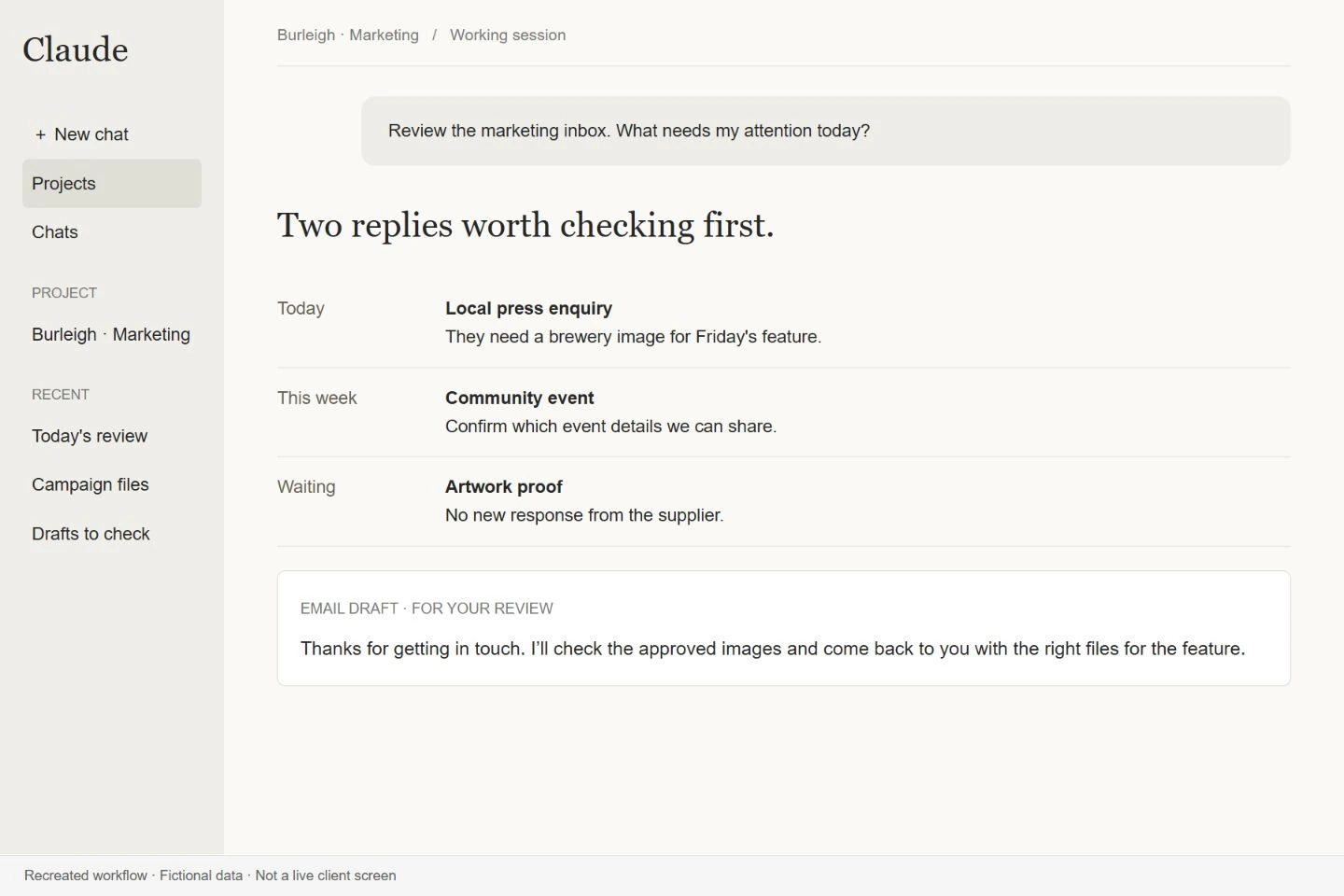
The assistant reviews incoming messages, groups them by urgency and action, and prepares replies using the person’s writing style and work context. The user can work through decisions and drafts together instead of repeatedly rereading the inbox.
Security & safeguards
Each reply is approved individually. This assistant leaves the inbox undisturbed: it does not send messages, delete emails or follow links on its own. That keeps an incorrect draft from becoming an external communication.
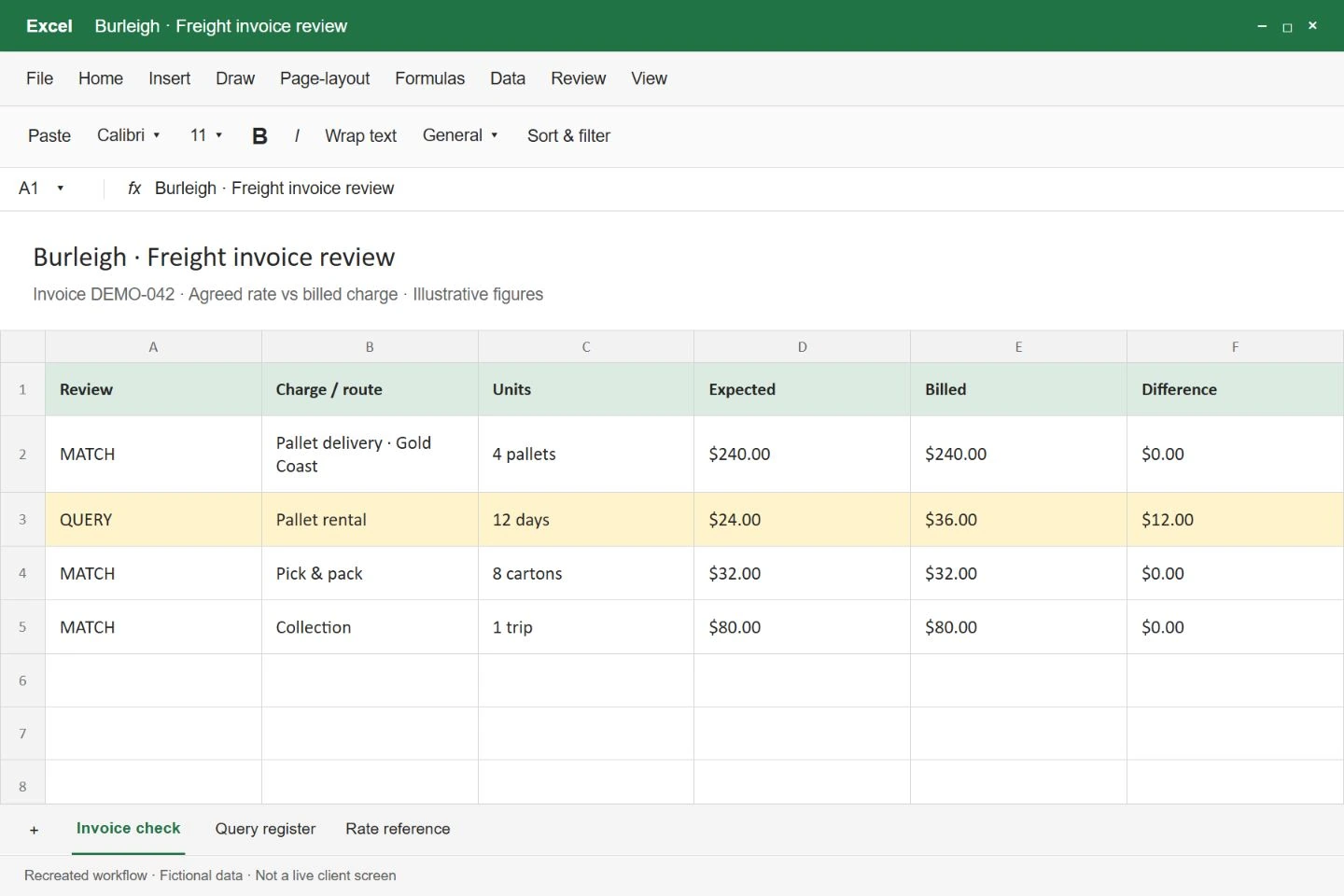
Burleigh BrewingFreight workbook illustration · Fictional data
Freight invoice checking
Find the charges that need attention without checking every line by hand.
The workflow compares freight invoices with agreed rates, shipment details and warehouse records. It prepares a discrepancy workbook and carries open queries forward, giving the reviewer the information needed to investigate mismatches.
Security & safeguards
A discrepancy is presented for review, not treated as a confirmed error. The invoice is checked against supporting operational records, and the team decides what to challenge or approve instead of relying on an AI conclusion alone.
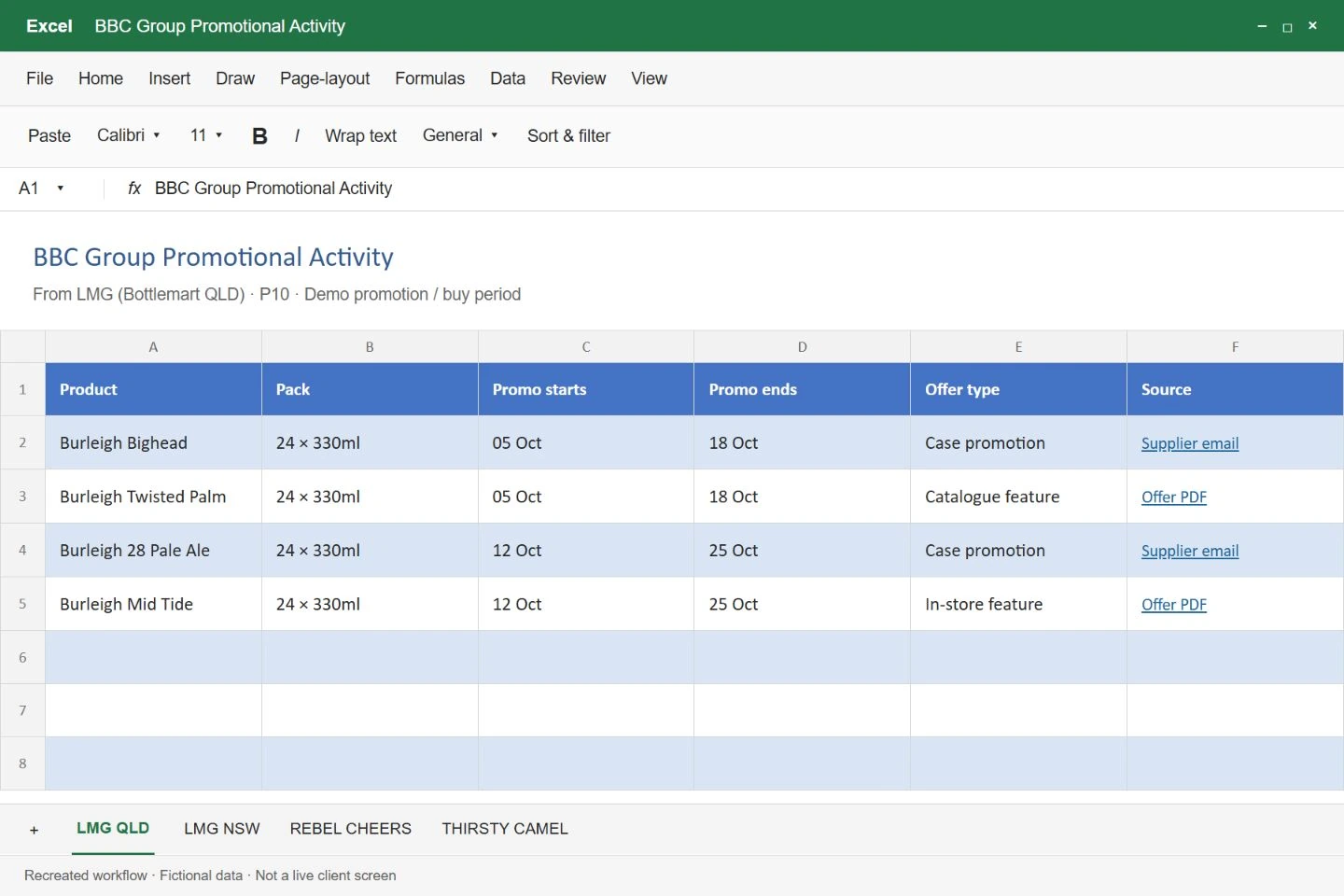
Burleigh BrewingPromotion workbook illustration · Fictional data
Supplier promotion tracking
Keep one shared promotion workbook current from incoming emails.
A scheduled workflow collects promotion information from emails and attachments, identifies the relevant year, month and week, and updates the shared workbook. References are retained so the sales team can trace the promotion back to its source.
Security & safeguards
The workflow targets the agreed workbook and includes duplicate checks. Keeping the original references alongside the extracted information makes an incorrect date or promotion easier to identify and correct.
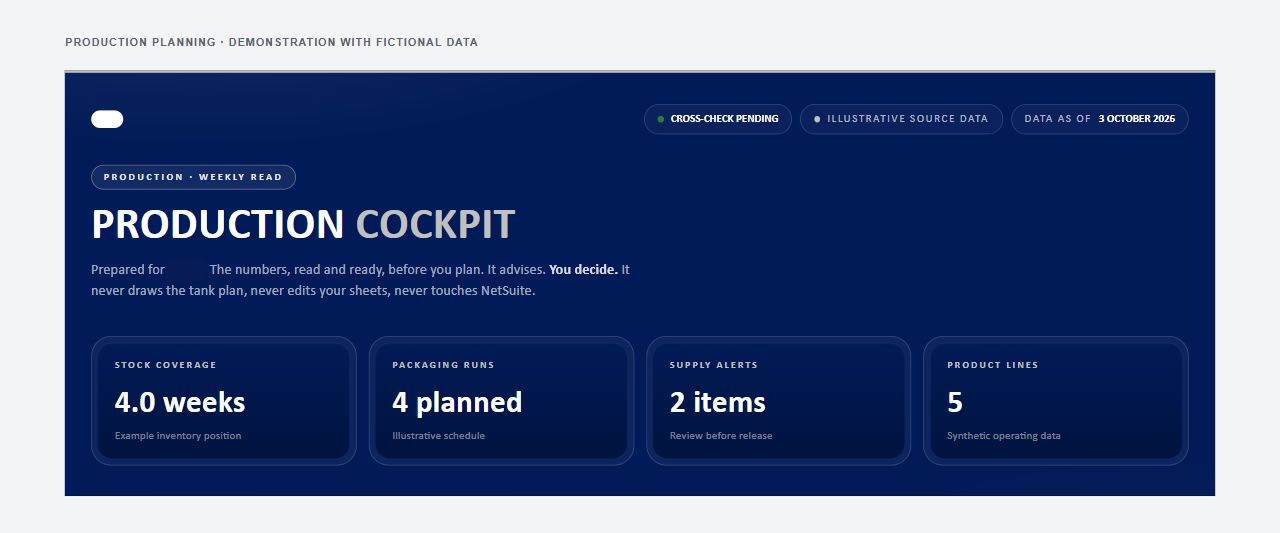
Burleigh BrewingExisting interface · Demo data
Production planning cockpit
Bring stock, demand and production constraints into one planning view.
The cockpit gathers inventory and demand information, combines it with ingredient and production constraints, and includes packaging calculations. The team starts its scheduling work with the relevant inputs together rather than assembling separate exports.
Security & safeguards
The cockpit supports the planning decision; the operations team makes it. Spreadsheet cross-checks are retained so calculations can be compared before the team commits to a production plan.
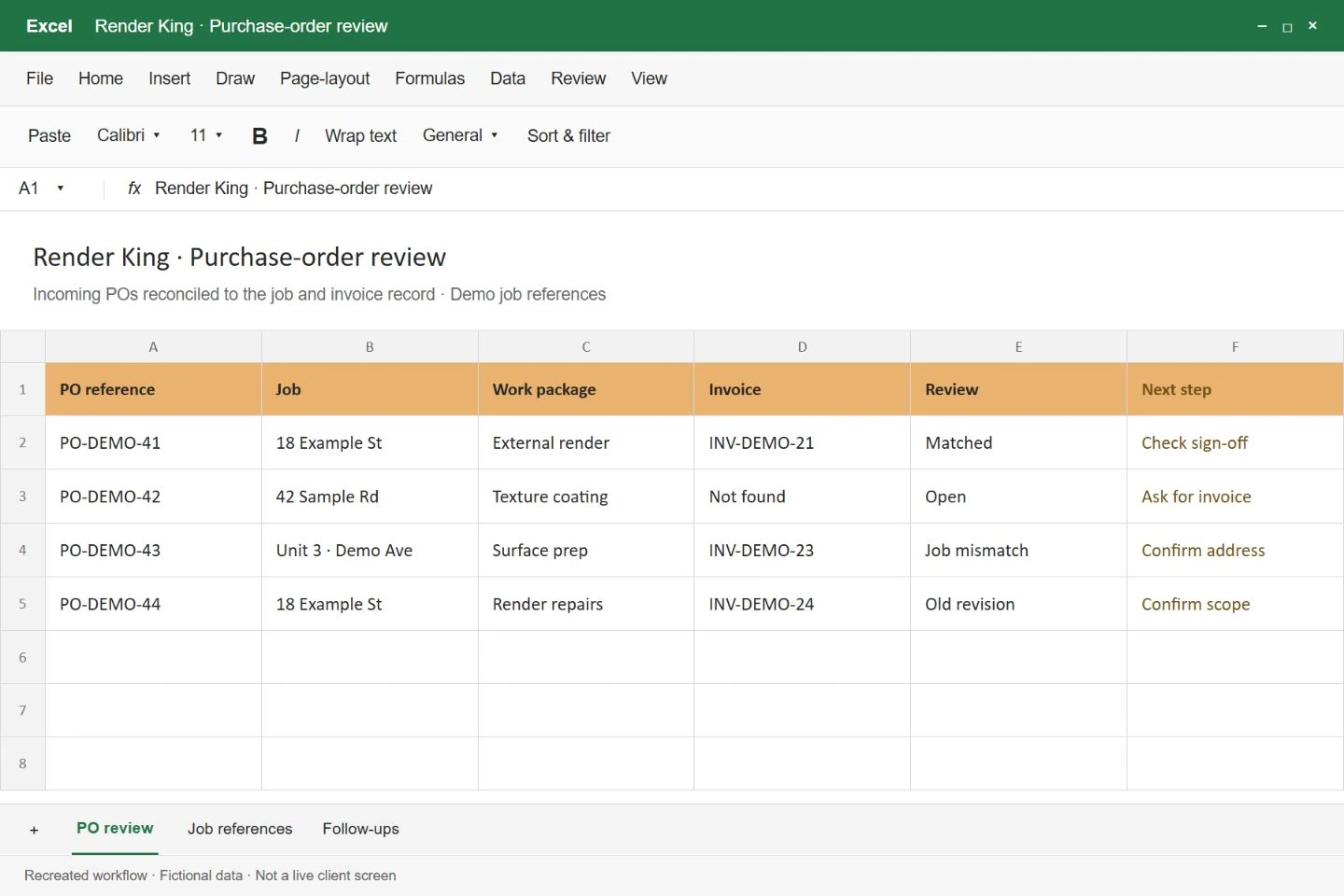
Render King / MCKPO review illustration · Fictional data
Purchase-order reconciliation
Prepare incoming orders for a decision instead of another round of information gathering.
The assistant collects purchase orders from incoming communications and brings them together with the related work information. It helps identify incomplete, outdated or unresolved orders and presents the information needed for reconciliation and follow-up.
Security & safeguards
The workflow is semi-automated: the person responsible reviews the prepared information and makes the decision. Collecting and checking an order is kept separate from approving a payment or committing the business.
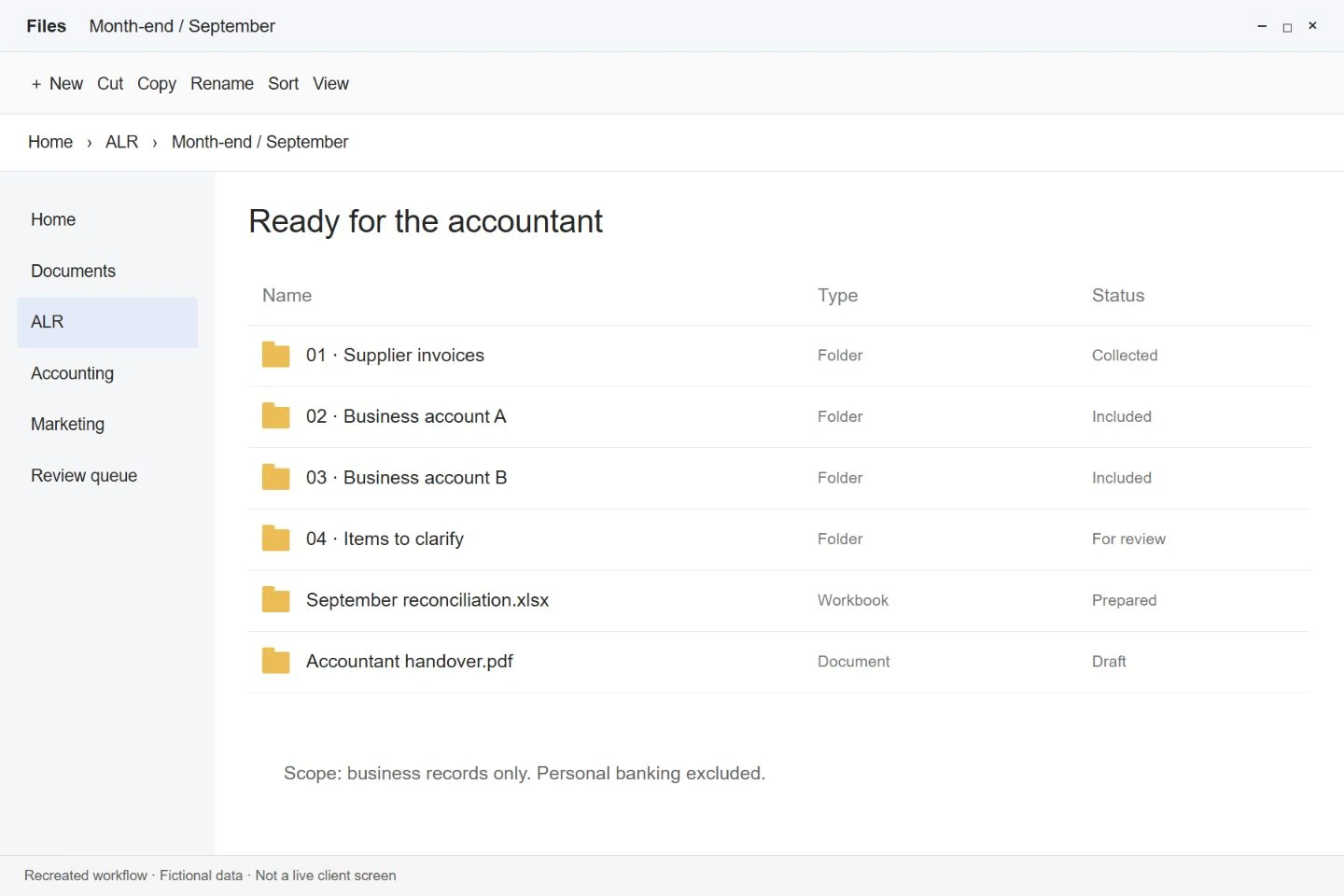
ALRMonth-end handover illustration · Fictional data
Monthly finance workspace
Organise business bank movements and supporting invoices into a reviewable monthly file.
How it works
The workflow starts from supplied business bank exports, merges transactions and removes duplicates using bank identifiers. It matches supporting invoices to real transactions and prepares the reconciliation and close report. Missing proof is surfaced in the working file so the reviewer can resolve it before closing the period.
Security & safeguards
Amounts come from the bank records, with personal banking kept separate. Supporting files must pass the invoice verification check before the close can proceed. The accountant can review the transactions and evidence instead of relying on an unsupported match.
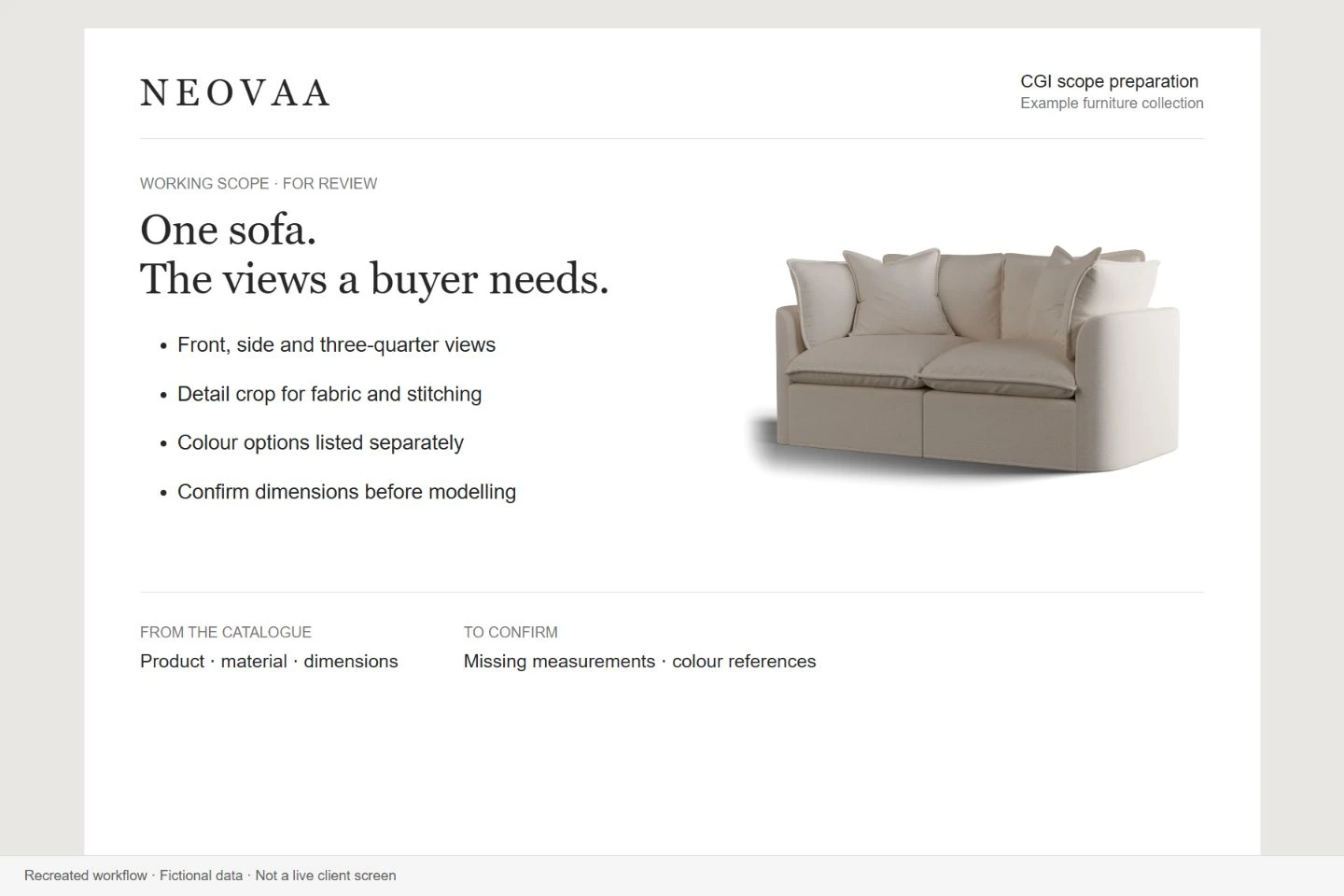
Neovaa · Our own studioScope illustration with an existing CGI render · Fictional data
Quote preparation
Turn product research into a quote with consistent calculations.
The workflow reads product catalogues, groups product families and variants and organises the scope for a quote. A pricing snapshot supplies the agreed rates to the calculator, so the arithmetic follows a defined basis rather than being improvised in a conversation. The person preparing the quote reviews the resulting scope and price.
Security & safeguards
Uncertain product information is flagged for review. The calculator requires the pricing inputs instead of silently substituting zero for a missing rate. Product selection and the final commercial commitment remain with the person approving the quote.
Render King / MCKReconstructed from the recorded workflow · Fictional data
Company-card expense capture
Turn receipts and purchase details into a shared expense record.
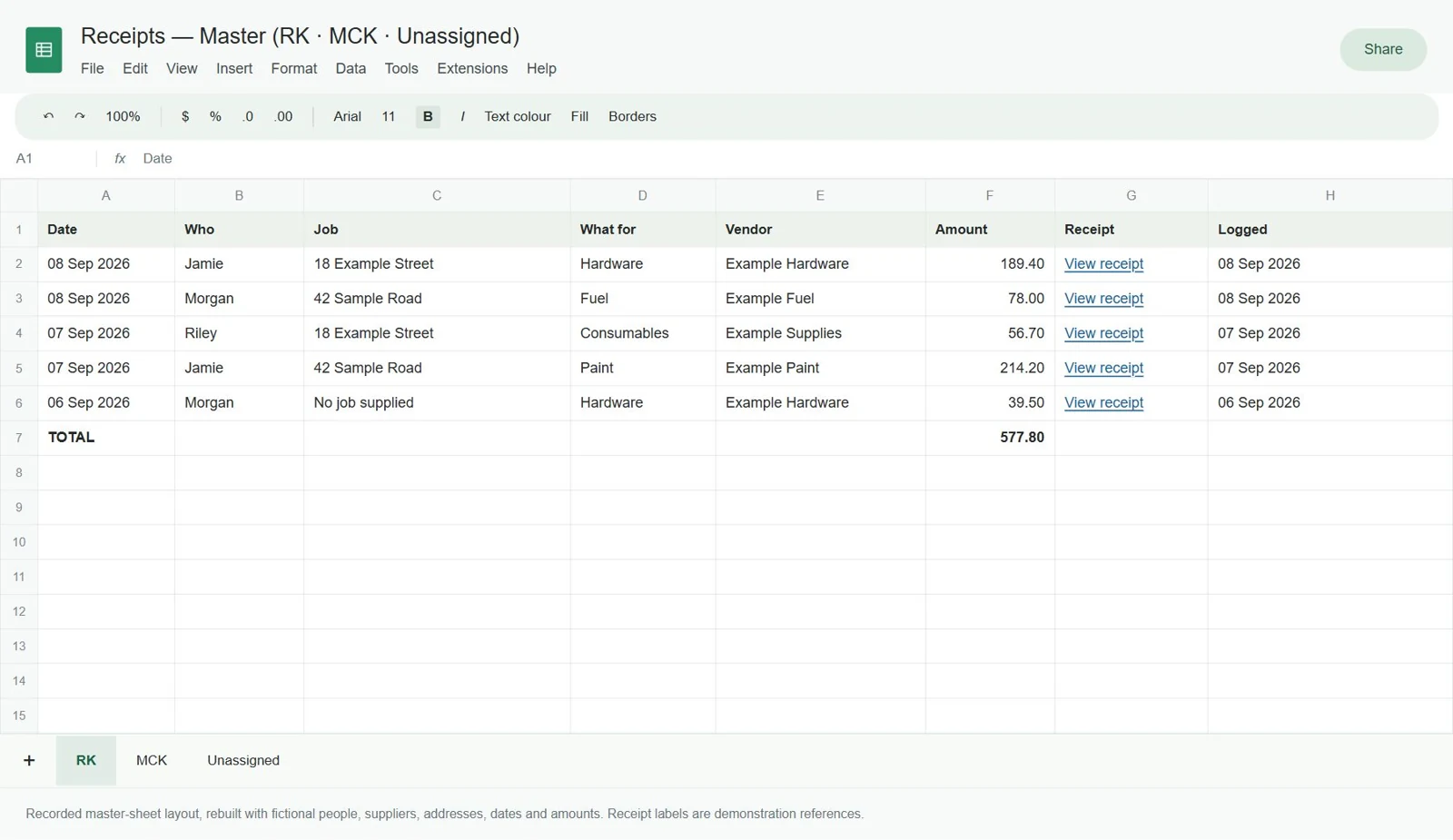
The assistant retrieves purchase information, amounts, locations and receipt photos, then enters the information into the team’s shared spreadsheet. The finance team has the transaction details together instead of collecting them separately.
Security & safeguards
Receipt information remains part of the record available to the team. Capturing an expense in a spreadsheet is distinct from authorising spending or approving reimbursement, keeping those decisions with the responsible people.
Burleigh BrewingLetter draft illustration · Fictional data
Overdue-account review
Prepare account checks and follow-up drafts before a person takes action.
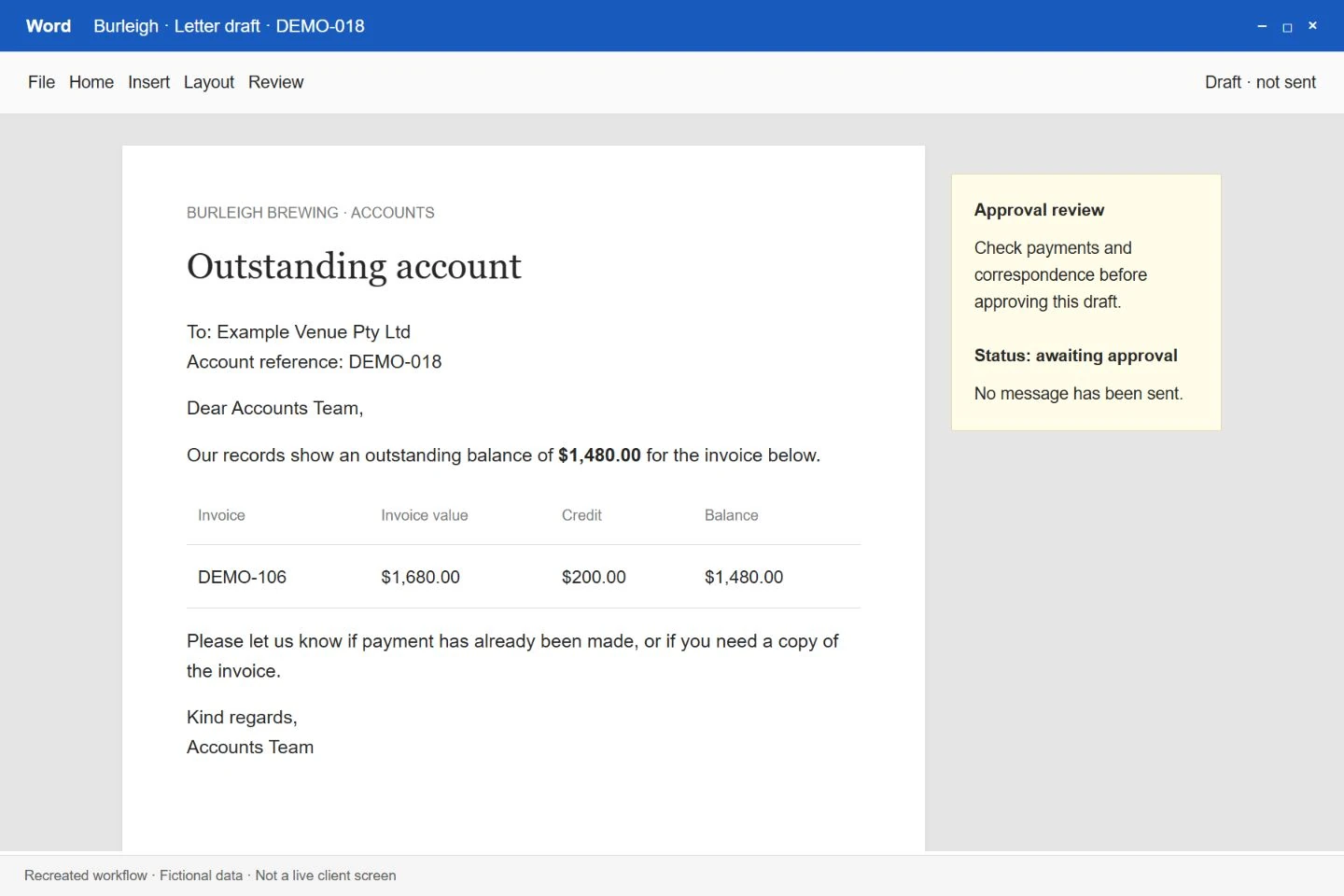
The workflow reviews overdue accounts alongside payments, credits and previous correspondence. It prepares the customer information and, where appropriate, a draft demand letter for the finance team to review.
Security & safeguards
Letters remain drafts for human review and approval. The workflow does not send them automatically or change the accounting system, helping prevent an unchecked balance from triggering an incorrect customer demand.
Burleigh BrewingExisting interface · Demo data
Budget requests & approvals
Give spending requests a clear route from submission to decision.
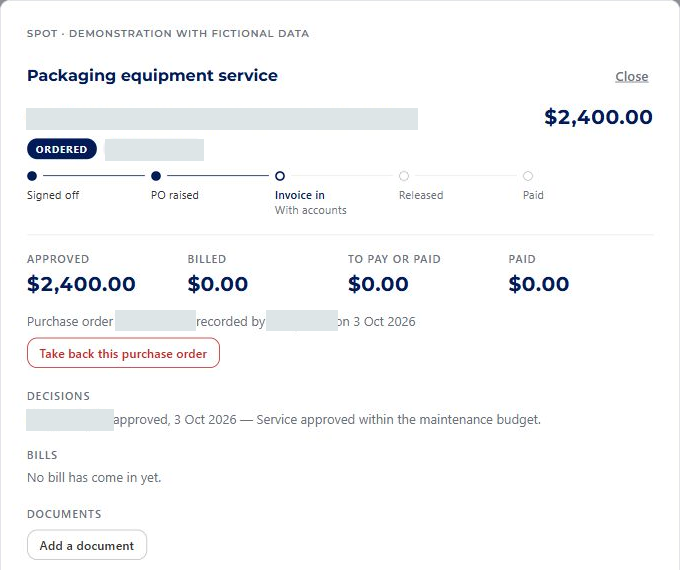
The workflow brings budget holders, accounts and leadership into a structured request and approval process. Requests, decisions and follow-up are organised together so people can see where a spending decision sits.
Security & safeguards
Approval remains with the designated people in the process. A submitted request is kept distinct from an approved spend, reducing the risk of someone treating a request or an AI-prepared entry as permission to proceed.
Burleigh BrewingExisting interface · Demo data
Leadership dashboard
See priorities and performance together instead of chasing fragmented updates.
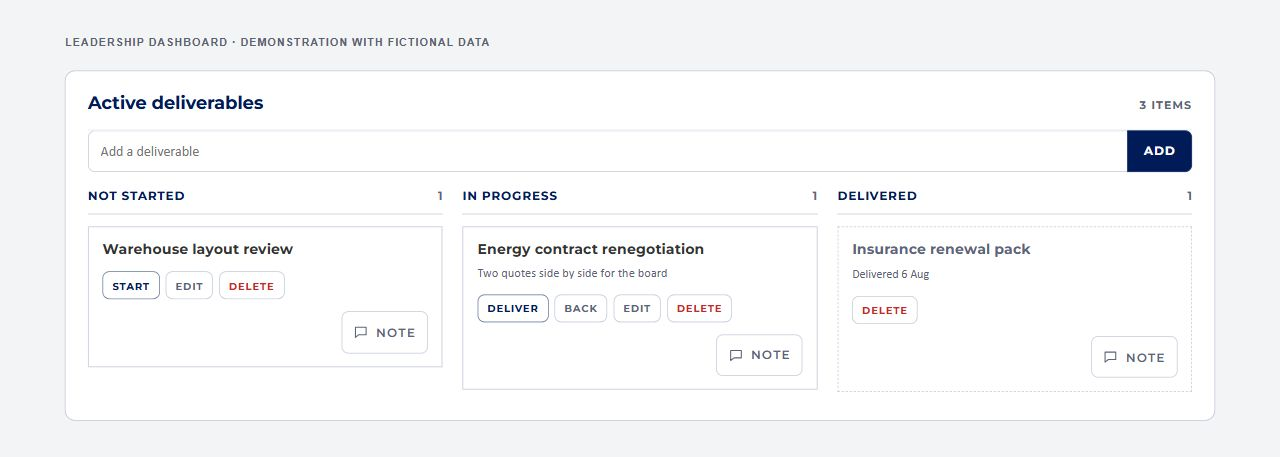
The dashboard brings leadership information into a shared view of priorities, performance and follow-up. It gives decision-makers a consistent place to review the business information that would otherwise be spread across separate updates.
Security & safeguards
The dashboard provides visibility for leadership decisions. It is separate from the budget approval process: seeing a figure or a priority in the dashboard does not authorise a payment or replace the responsible person’s decision.
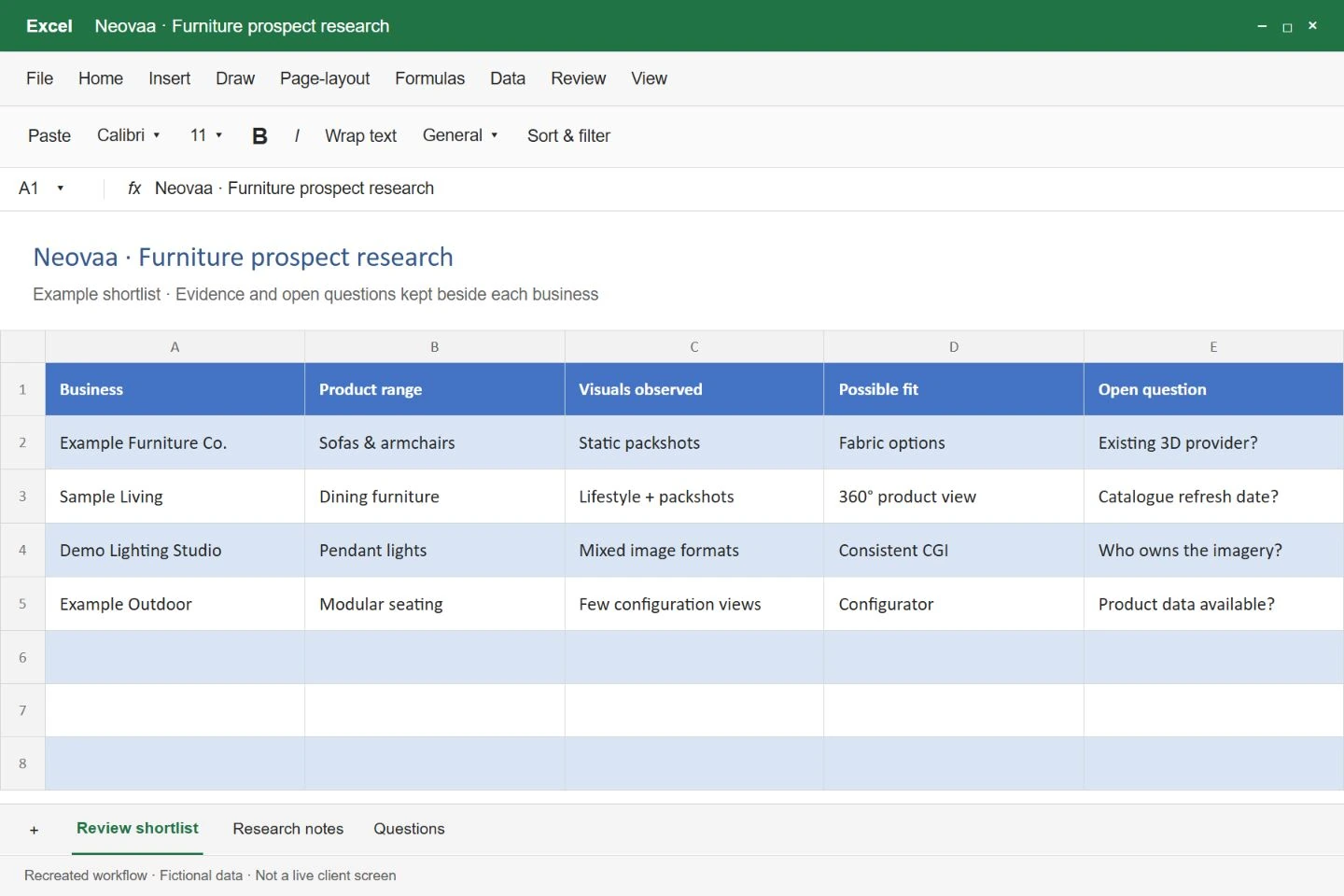
Neovaa · Our own studioResearch workbook illustration · Fictional data
Prospect research & selection
Build a focused outreach list around the business’s actual customer profile.
The workflow applies the target customer criteria, removes unsuitable businesses and duplicates, and organises prospects for qualification. The user can keep, reject or choose a manual contact route for each prospect. Email verification then helps separate usable addresses from contacts that need a different approach.
Security & safeguards
Research does not trigger outreach. Existing pipeline exclusions and deduplication reduce repeat contact, while uncertain email results are kept out of the verified email list and routed for manual handling where appropriate. The user reviews who should be contacted.
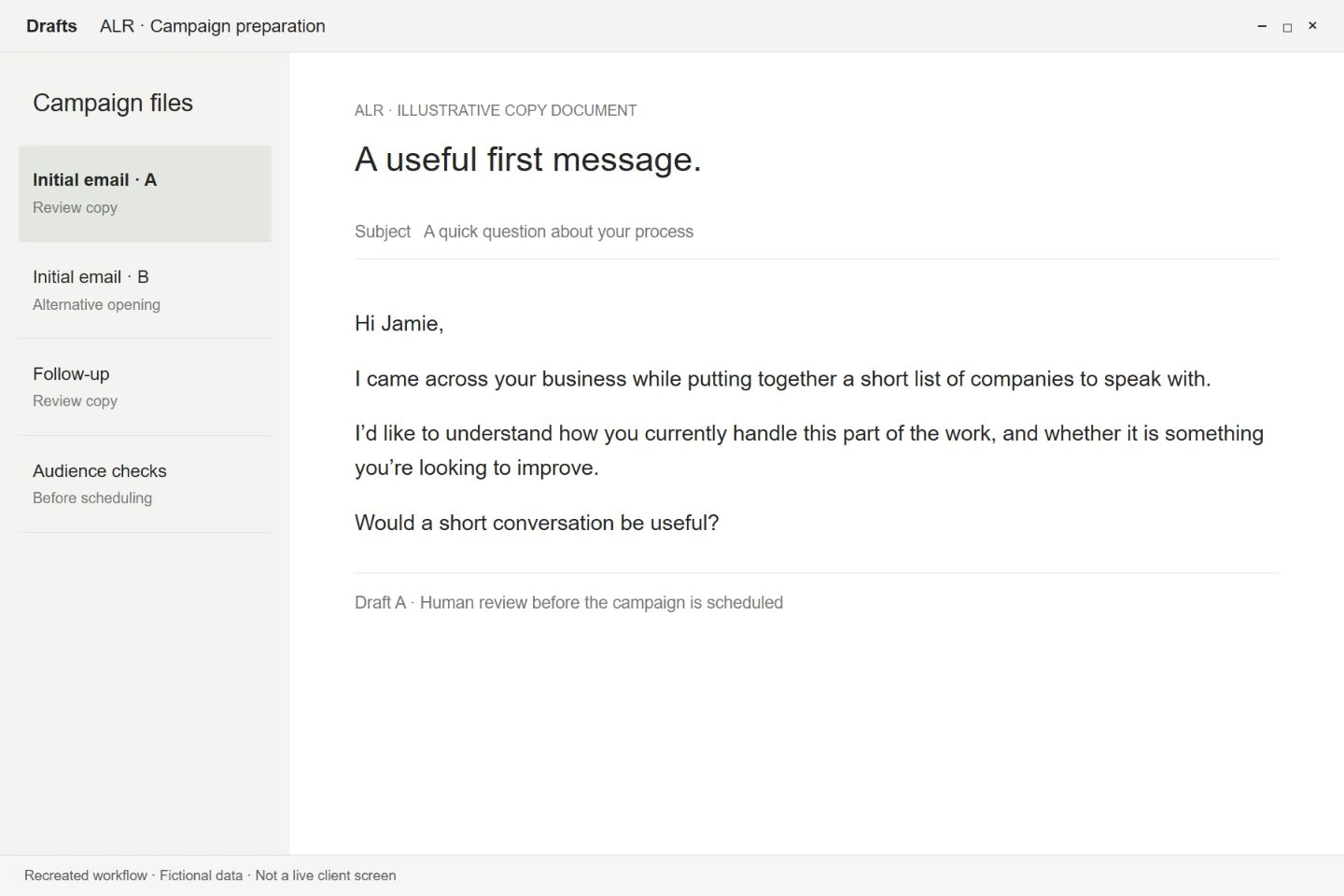
ALRCampaign preparation illustration · Fictional data
Email campaign operations
Prepare campaigns, follow-ups and prospect lists around your target customer.
How it works
The workflow prepares initial emails and follow-ups around the target customer profile, supports A/B campaigns and tracks campaign performance. Prospect lists are replenished at defined thresholds, while campaign rules manage when activity should stop.
Security & safeguards
Campaign activity follows configured rules, including stop thresholds and email warm-up. Those limits give the campaign a defined operating boundary instead of allowing it to run indefinitely without reference to its results.
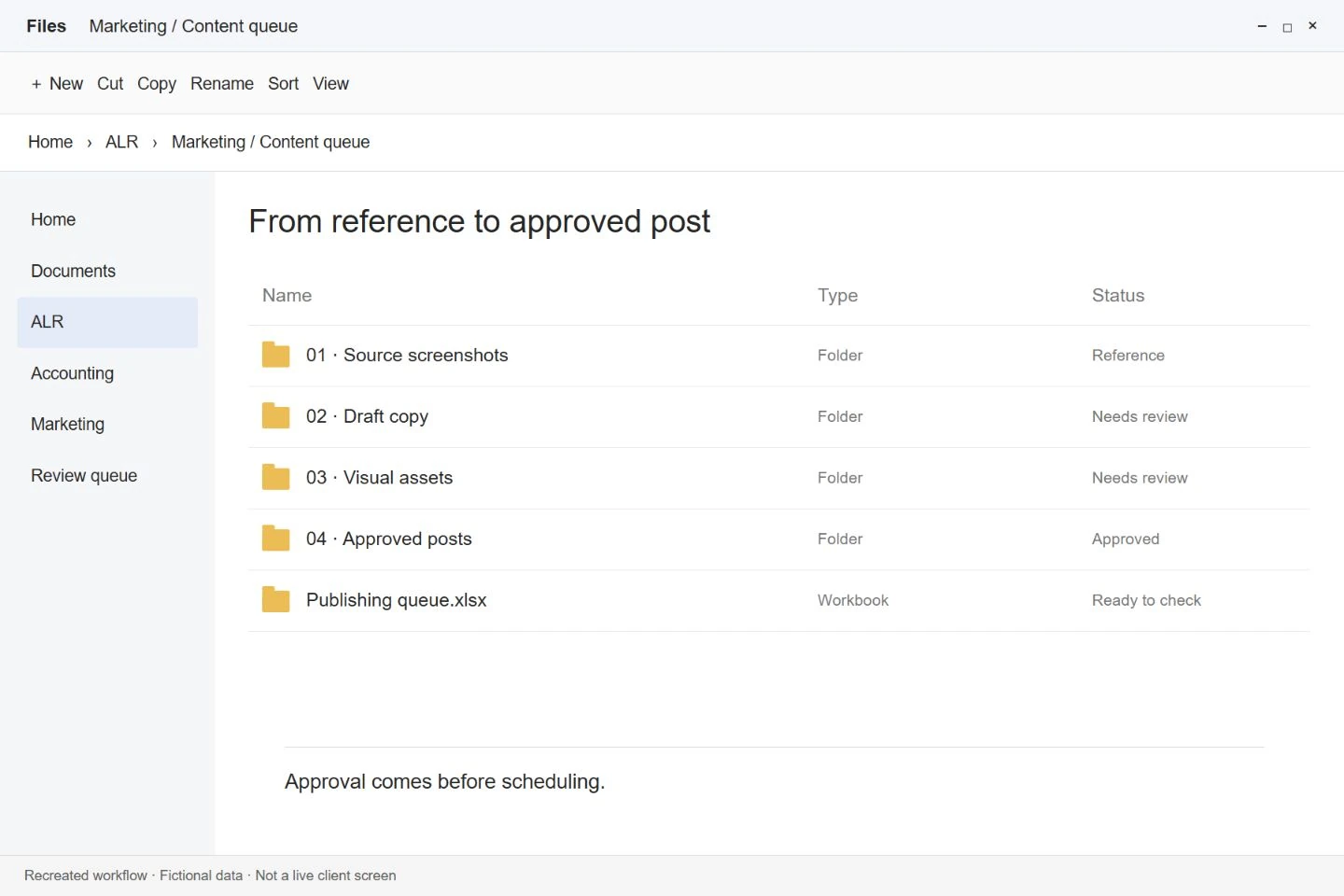
ALRContent queue illustration · Fictional data
Social content preparation & scheduling
Take references and ideas through to an approved publishing queue.
How it works
The assistant combines trend research, supplied screenshots and available content to prepare posts and visual assets. Draft content is organised in a review folder; once approved, it can be scheduled to the business’s social accounts.
Security & safeguards
Human validation sits between content preparation and scheduling. The person reviews the material before it goes into the publishing queue, helping prevent an unsuitable draft or generated asset from being published unchecked.
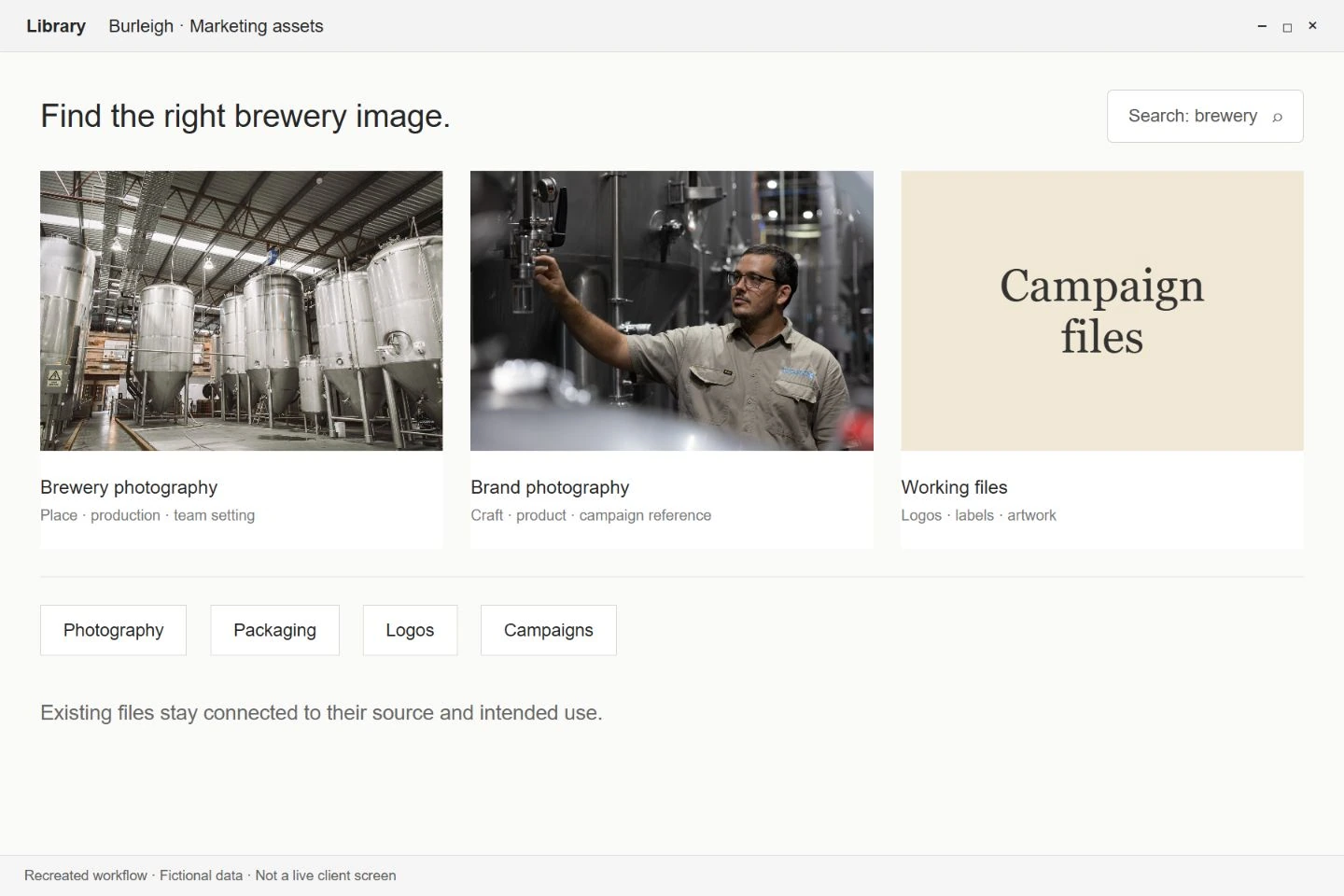
Burleigh BrewingLibrary illustration with existing brewery photos · Fictional data
Searchable marketing library
Find logos, labels, photographs and campaign files in one organised library.
How it works
Marketing assets are organised into a searchable collection, making the files needed for recurring work easier to locate. The team can retrieve existing material rather than searching through disconnected folders or rebuilding assets.
Security & safeguards
The library helps people find existing source material. Selecting and checking the right asset remains part of the team’s work; retrieving a file does not publish it or establish that it is appropriate for every campaign.
Render King / MCKMeeting context illustration · Fictional data
Meeting knowledge capture
Keep useful meeting context available for the work that follows.
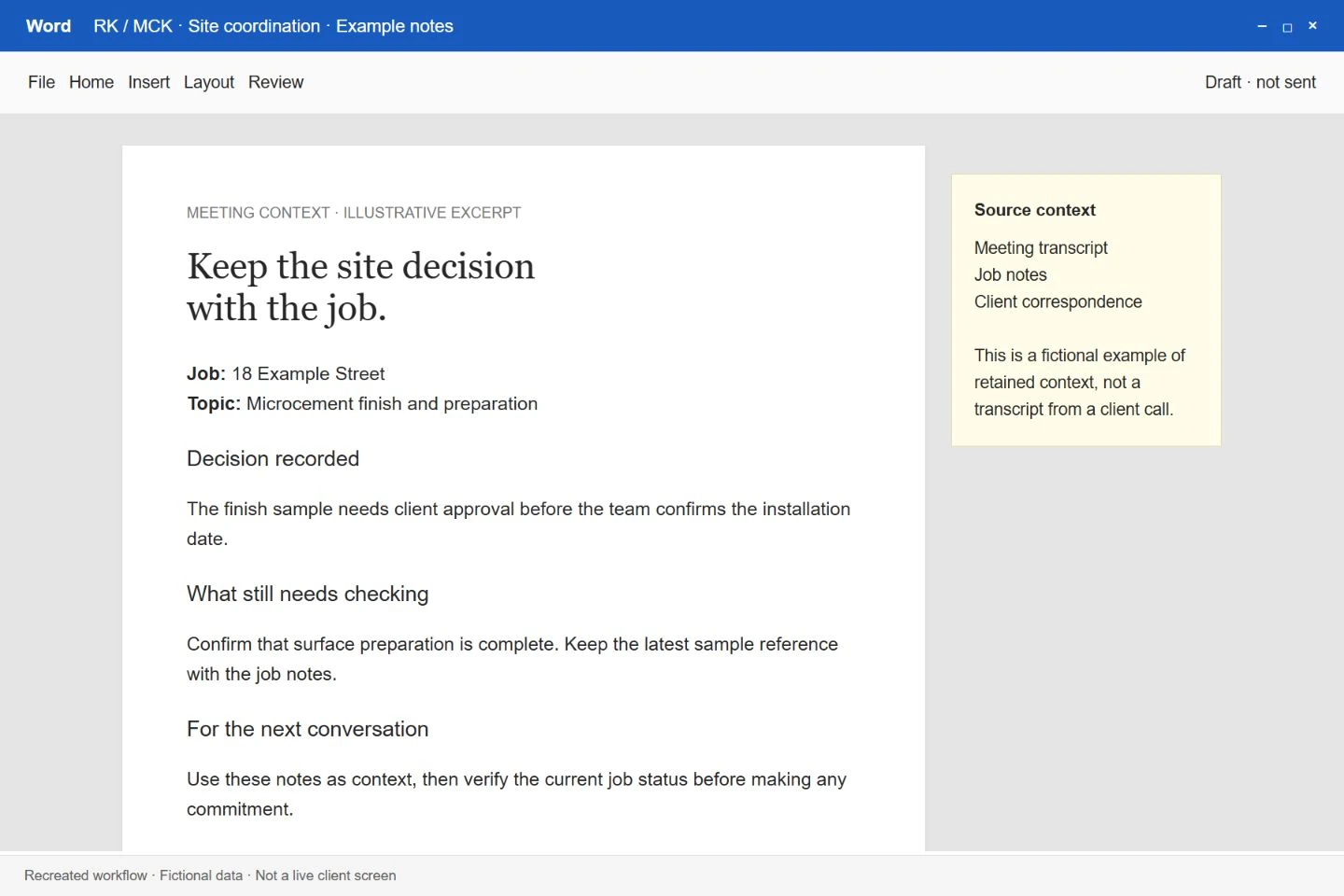
The setup captures transcripts, important communications and working knowledge in one place. That material supplies context to the AI used for later tasks, reducing the need to explain the same decisions and background repeatedly.
Security & safeguards
The captured material provides working context, not automatic authority to act. Sensitive actions still follow the agreed human approval boundaries, and session recording requires the participant’s agreement under our data-handling approach.
Render King / MCKReconstructed from the recorded workspace · Fictional data
Role-specific AI workspace
Give everyday AI work continuity across projects and responsibilities.
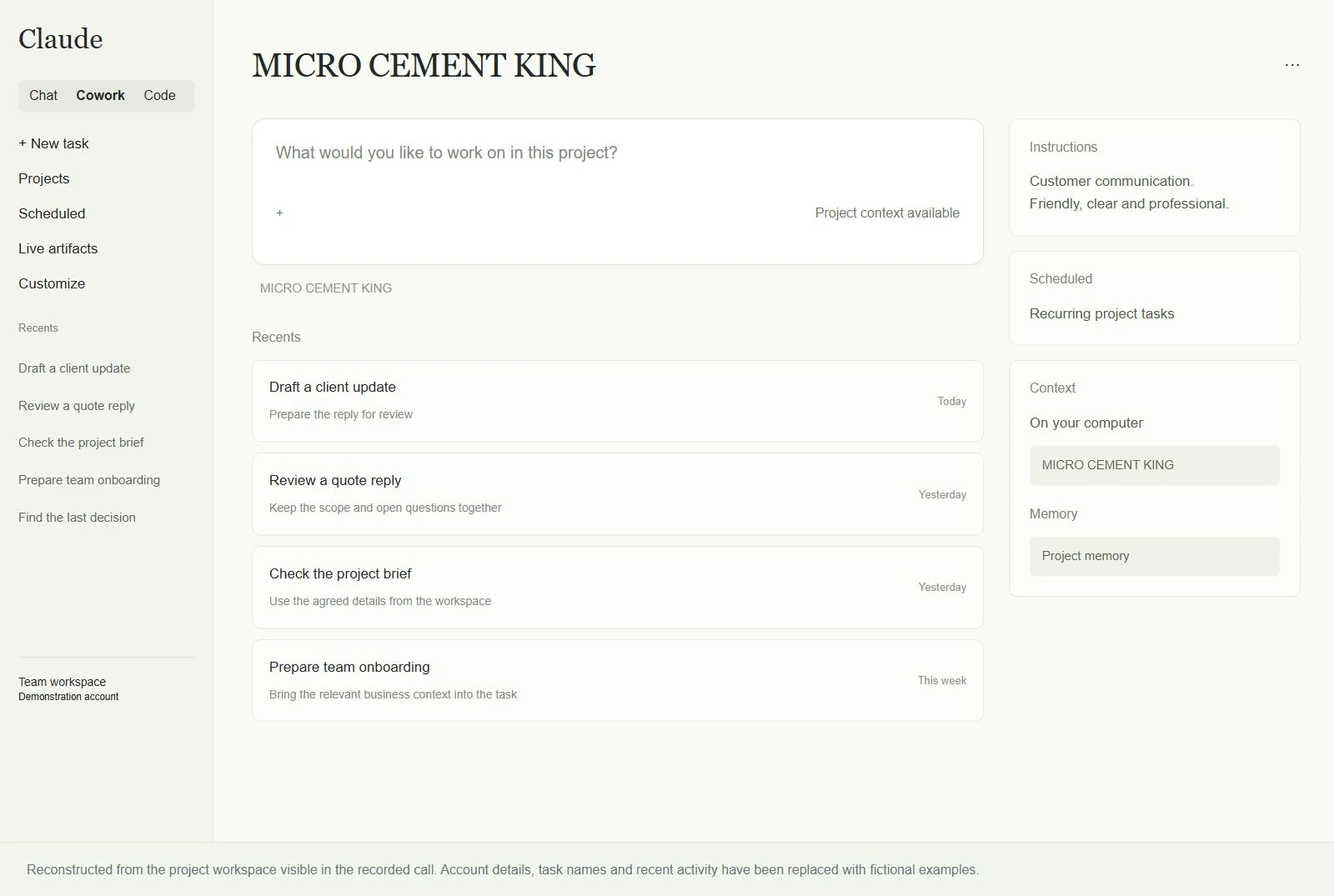
Projects, context and memory files are organised around the person’s role and recurring tasks. The assistant can draw on relevant working information across sessions, helping the person continue useful work instead of restarting the explanation each time.
Security & safeguards
Context and access are scoped to the agreed work. The assistant’s knowledge of a project does not itself grant permission to send messages, change systems or make commitments; those actions follow the access and approval boundaries set for the work.
Neovaa · Our own studioExisting AI interior visual
Design & visual preparation
Turn visual ideas and references into assets the team can work with.
How it works
The assistant helps organise design references and translate visual ideas into draft assets. It supports the preparation work around marketing and client communication, making it easier to move from an idea to material that can be reviewed.
Security & safeguards
Draft assets are working material for human selection and review. The person using them checks their suitability for the intended purpose before they become client-facing content or part of a publication.
Neovaa · Our own studioExisting CGI product render
Scripted product photoshoots
Produce consistent product views from one prepared 3D scene.
How it works
The workflow sets up cameras, lighting and a sequence of angles in Blender, then renders the product views in a batch. Reusable scene settings keep the framing consistent across a range, while the operator can adjust materials and lighting before generating the final images.
Security & safeguards
The source model is kept intact. Test renders let the operator check framing, materials and colour before committing to the full batch. Rendered outputs are reviewed before delivery so an incorrect scene setting does not silently carry through to the client.
Neovaa · Our own studioExisting prepared product image
Product image cleanup & optimisation
Prepare product images for delivery and web use.
How it works
Scripts handle repeatable image preparation around a product shoot, including shadow cleanup, colour checks against different backgrounds and web optimisation. The resulting files can be checked together, making it easier to spot inconsistent colour or unwanted edges across a set of product views.
Security & safeguards
Original source files are preserved. Colour and edge checks provide concrete points for review, and the operator inspects the output before it enters the delivery set. Changes can be rerun from the source if an adjustment damages the product’s appearance.
Neovaa · Our own studioExisting Blender wireframe view
3D asset optimisation
Prepare lighter 3D files while retaining the product’s appearance.
How it works
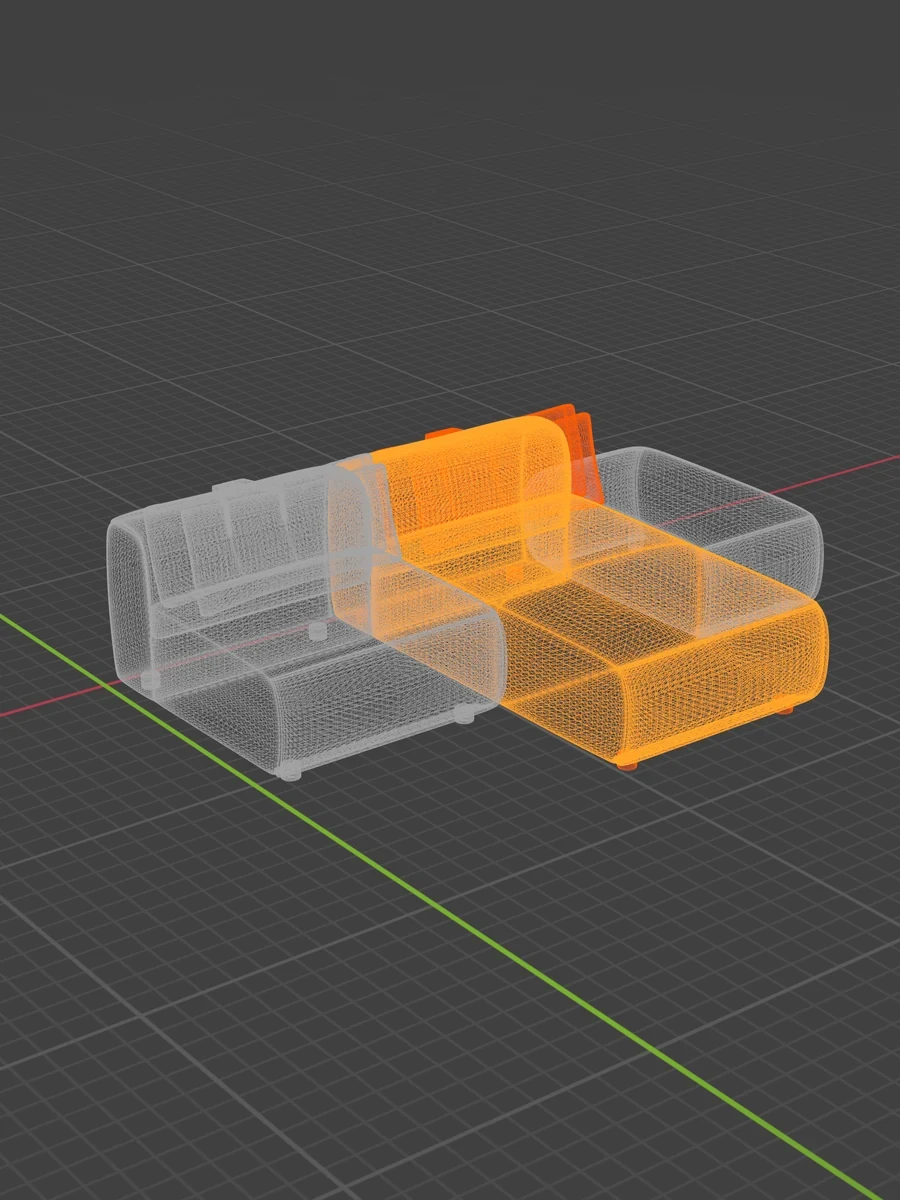
The workflow reviews the model and its materials, prepares compression candidates and compares the resulting files. Material-specific settings allow different parts of a product to be treated appropriately, rather than applying one compression setting to every texture and accepting the result unchecked.
Security & safeguards
The original asset remains unchanged. Candidate files are inspected before selection, with appearance and model integrity checked alongside size. A smaller file is only useful if it still represents the product correctly.
Neovaa · Our own studioExisting Amada configurator
Interactive product viewer setup
Turn a prepared model into an interactive product presentation.
How it works
The setup workflow reads the model’s parts and dimensions and guides the preparation of its viewer. The operator places hotspots, supplies labels and selects the relevant viewing or AR options. Calculated dimensions provide a starting point for confirmation instead of requiring every value to be entered again.
Security & safeguards
Dimensions and labels are reviewed before use. The model is checked in staging before the live viewer is updated, helping catch missing parts, incorrect measurements or a configuration that behaves differently from the intended product experience.
Neovaa · Our own studioExisting portal · Demo account · Fictional data
Product onboarding & delivery
Connect incoming product files with the records needed to deliver them.
How it works
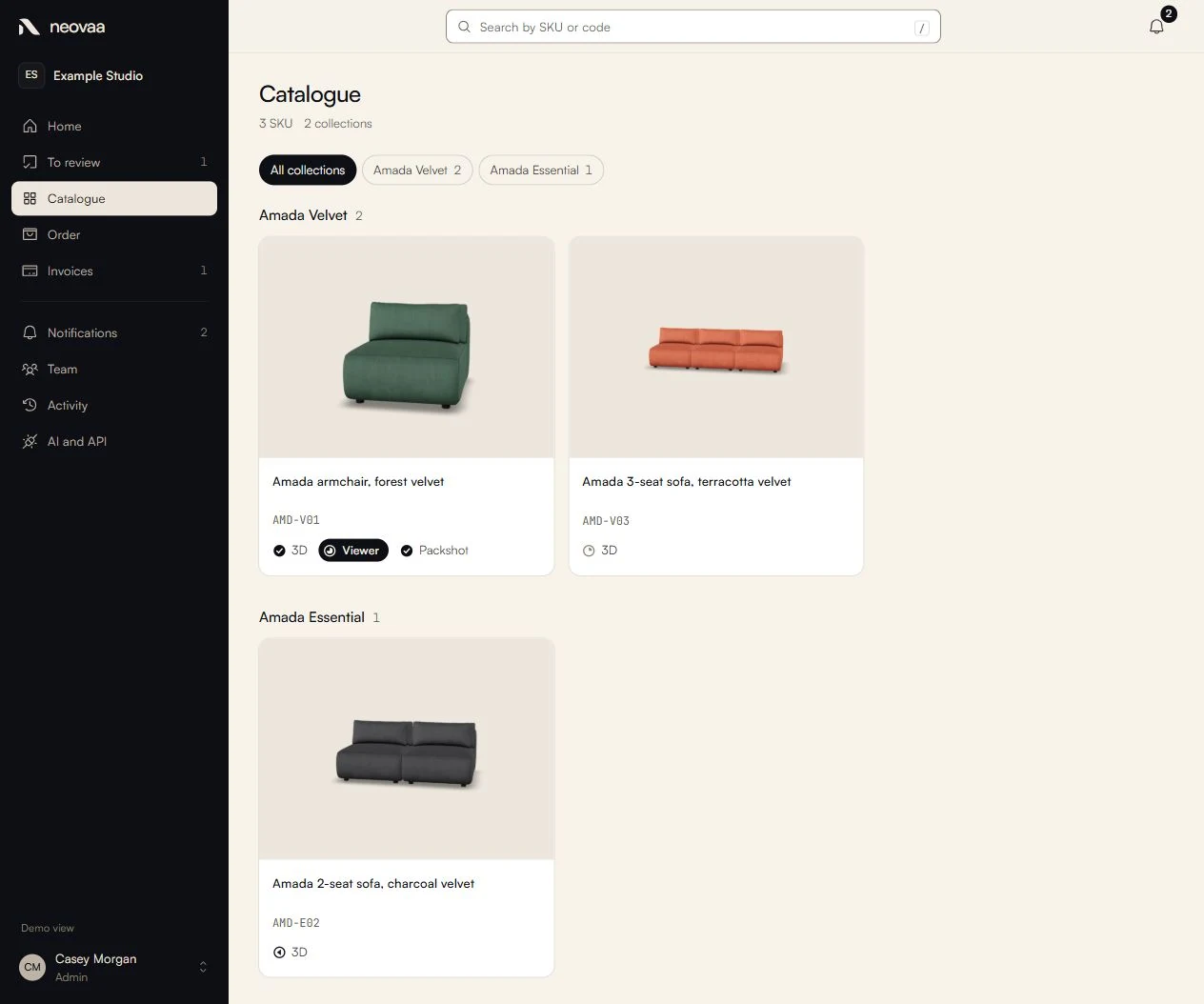
The workflow checks incoming files, identifies missing product information and connects the technical setup with the business delivery record. It brings model preparation, configuration and delivery checks into one repeatable sequence so each product has a traceable path from intake to release.
Security & safeguards
Source files are preserved and missing information is surfaced for resolution. Staging and validation separate preparation from release, so a newly processed asset does not become a live client deliverable simply because a script finished.
Fix Ma PanneProject context illustration · Fictional data
Cross-session business memory
Carry useful project context from one work session to the next.
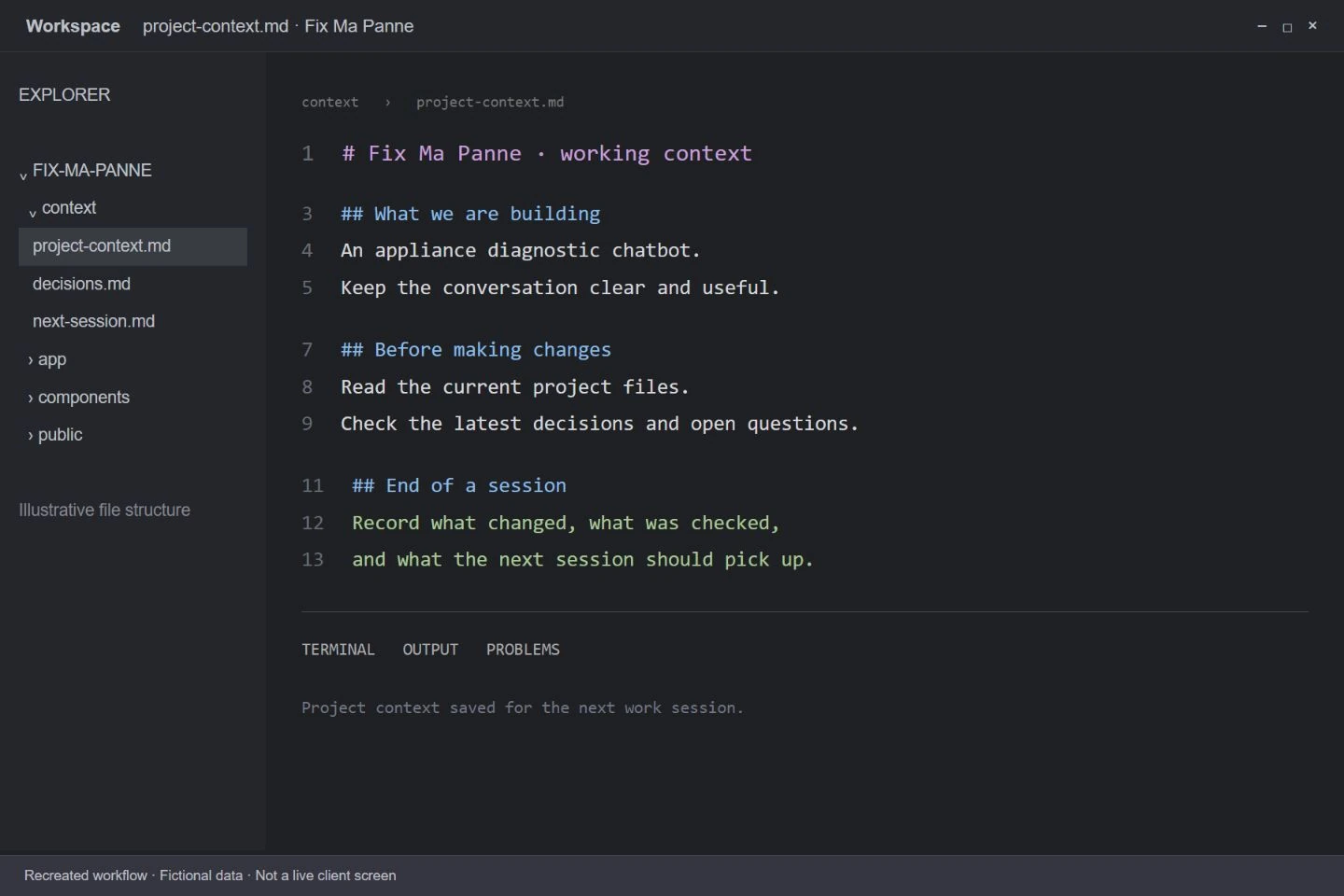
At the end of a session, the workflow captures the relevant decisions, corrections and next steps in the project’s retained context. Later sessions can load those records, giving the assistant a working starting point without asking the person to explain the same history again.
Security & safeguards
Retained context is stored in controlled project files with version history and backups. Current source records take precedence over older notes, and important facts are checked before action so an outdated summary does not become an instruction to repeat a mistake.
Neovaa · Our own studioHistorical tool · Recreated view · Fictional data
Business operations dashboard
A previous internal build bringing clients, priorities and delivery into one view.
How it works
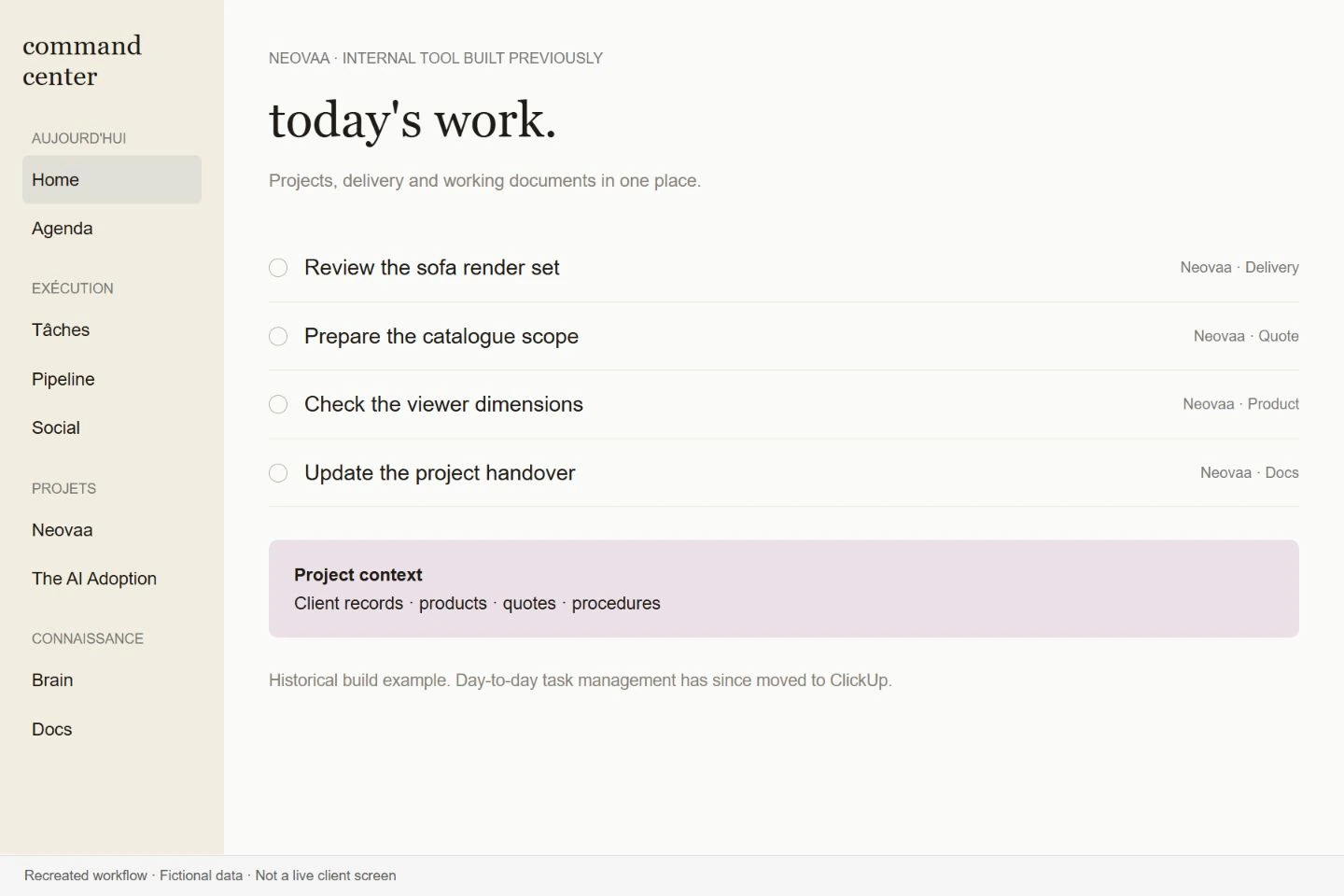
This internal dashboard was built to connect business records for tasks, goals, clients, procedures, quotes and deliverables. It brought the same operating information into connected views, with supported assistant updates. Day-to-day task management has since moved to ClickUp; this remains an example of a tool we built.
Security & safeguards
Access is authenticated and the assistant’s supported actions are limited. Keeping changes tied to the underlying business records makes them reviewable, while restricting the available operations reduces the scope of an incorrect request.
Neovaa · Our own studioPreview illustration with the existing portfolio · Fictional data
Personalised outreach videos
Prepare a relevant product demonstration for each prospect.
How it works
The workflow records a guided page scroll, assembles the personalised video and pairs the uploaded result with the intended prospect. A tracking record brings together the video link and available viewing information, making it easier to prepare a batch without manually rebuilding every demonstration.
Security & safeguards
The prospect and video pairing is checked before outreach. Preparing and uploading the video is separate from sending it, leaving a human review step to catch the wrong name, page or demonstration before a prospect receives the message.
Neovaa · Our own studioReply review illustration · Fictional data
Outreach reply review
Turn campaign replies into a clear next action.
How it works
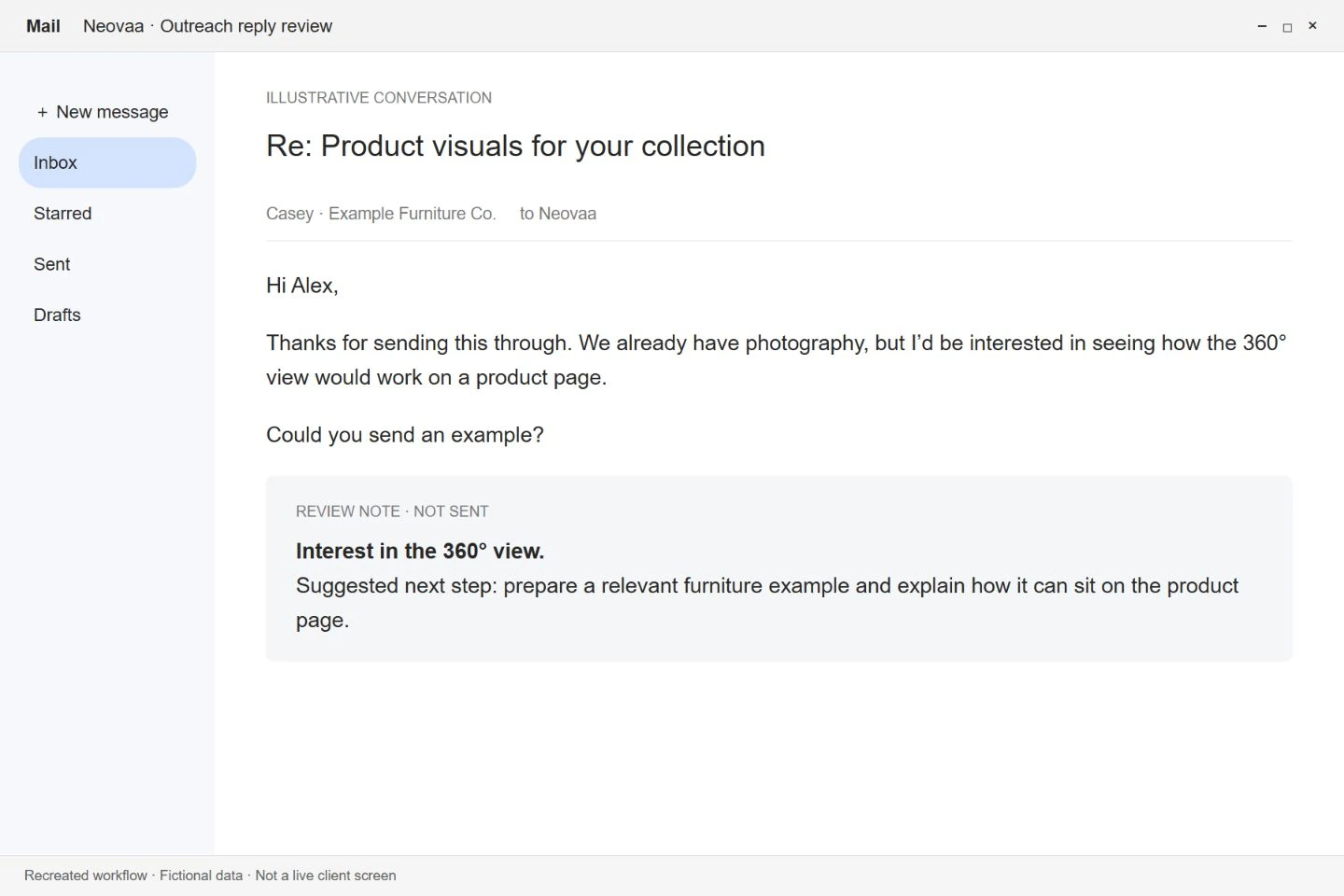
The assistant reviews campaign exports and incoming responses alongside the outreach context. It helps distinguish interest, objections and messages that need a different follow-up, then prepares the next step for review. The owner can decide how to respond without rereading the entire campaign history.
Security & safeguards
Suggested next steps remain drafts for the owner’s decision. A reply does not automatically trigger another message or change a commercial commitment, keeping interpretation errors from turning into an unwanted follow-up.
Neovaa · Our own studioWriting review illustration · Fictional data
Content drafted in the owner’s voice
Use real feedback to make recurring content sound more like its author.
How it works
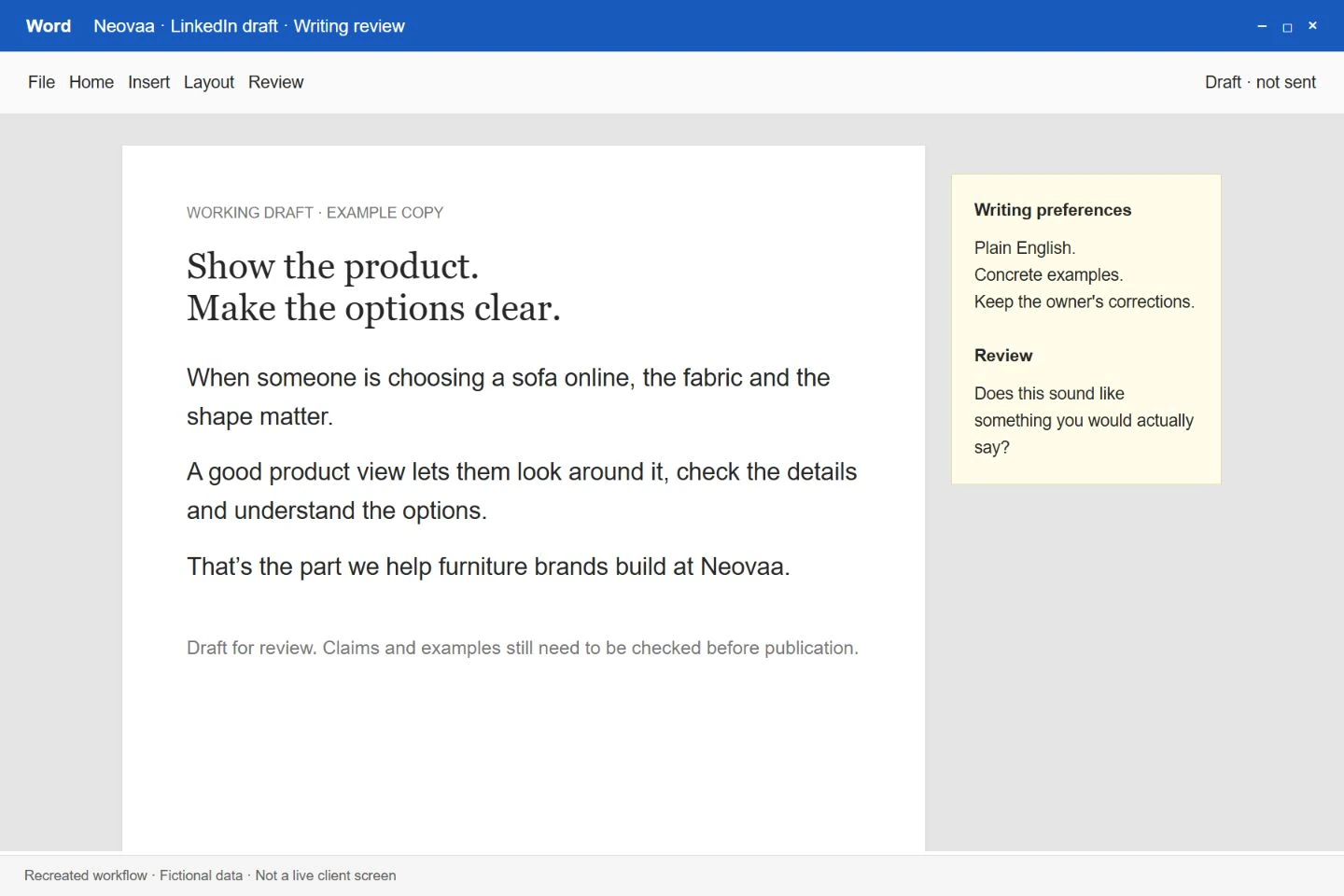
The assistant works from the owner’s examples, writing preferences and previous corrections to prepare new drafts. Content can be organised by angle and audience, helping the owner develop ideas consistently while retaining the specific language and points they want to make.
Security & safeguards
The owner reviews the content before publication. Retained corrections guide the writing, while claims and examples still need support from the source material. A stylistically convincing draft is not treated as evidence that its statements are true.
 The AI AdoptionFree AI pre-audit