The AI AdoptionFree AI pre-audit

Microsoft starts rolling out
Autopilot in Copilot.

New in Microsoft Copilot17 November 2026

30days

of the email, meetings, chats and files you can already open. Autopilot reads them before it starts working for you. It doesn’t send or change anything while it reads.

  • Rolling outTo Frontier customers from 17 November 2026
  • United States firstMicrosoft adds new Frontier customers over time
  • Billed by useA Copilot licence doesn’t include Autopilot usage
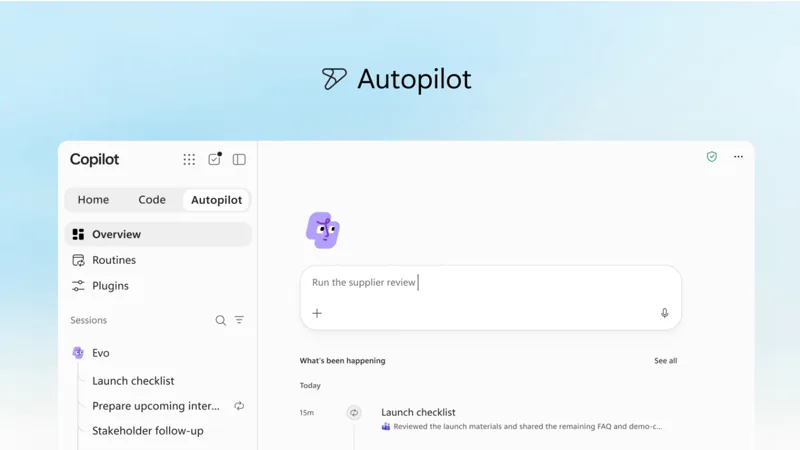
The Autopilot tab of the Microsoft Copilot app. A request to run the supplier review is typed in the box, and below it a list of what has been happening today.

The Autopilot tab of the Copilot app, from Microsoft’s September announcement. The 30 days come from Microsoft’s Autopilot page.

On 17 November 2026, at its Ignite conference, Microsoft started rolling out Autopilot to customers in its Frontier programme. Autopilot is an assistant in Microsoft Copilot that works for one person over days and weeks. It has its own mailbox and calendar. It follows up on email and Teams threads without waiting to be asked. For now it is limited to eligible customers in the United States, and its use is billed on top of the Copilot licence.

By The AI Adoption · Published on 18 November 2026 · Sources: Microsoft, 17 November 2026, and Microsoft Learn

Microsoft17 November 2026

What Microsoft announced

At Ignite on 17 November 2026, Microsoft announced several changes to Copilot. Home, where Chat and Cowork come together, is now generally available, and so is Office in Copilot. Autopilot started rolling out the same day to customers in the Frontier programme, which gives early access to Microsoft features before their general release.

Microsoft first presented Autopilot on 25 September 2026 and said it was previously called Scout. You give it a name, a role and a goal, and it goes to work without waiting for a prompt.
The opening title of Microsoft’s video, Your new OS for work, above the Microsoft Copilot logo. Watch Microsoft’s videoA minute and a half, on YouTube
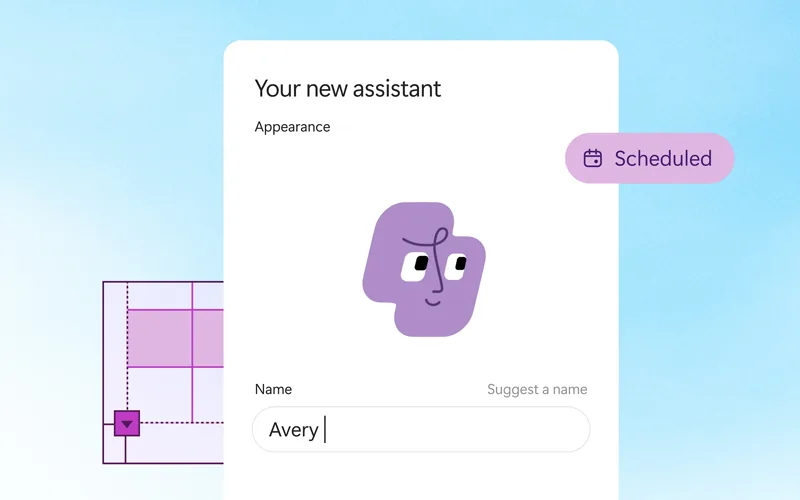
Microsoft’s video for the new Copilot, with Home, Code and Autopilot, published on 2 October 2026.

AutopilotRolling out

Autopilot works for one person over days and weeks

Each person can have one Autopilot. Once your admin has turned it on, you give it a name and a goal, and it sets itself up in 10 to 30 minutes. It has its own mailbox and calendar. It writes to you in a private chat in Teams. That is where it sends updates and asks for your approval.

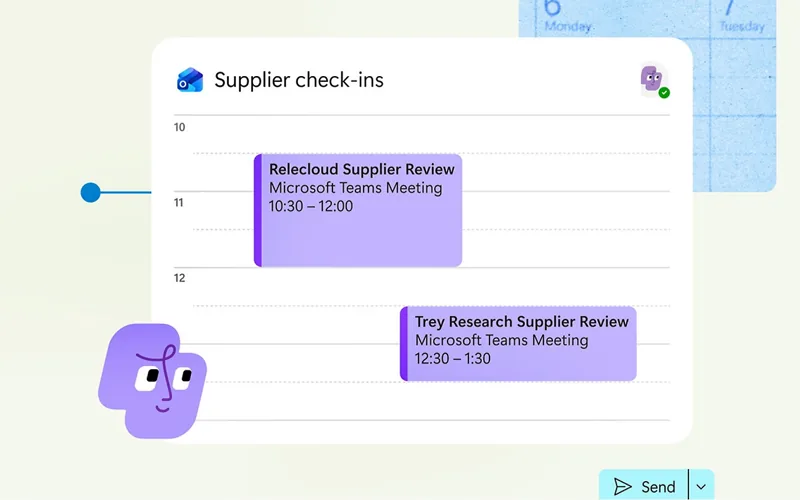
Microsoft’s example is a supplier review. Autopilot builds the schedule and the plan, then handles the prep, the meetings and the follow-ups on its own, down to asking people for updates.

It can also watch a Teams channel, follow up on email and run recurring work. It keeps working when your laptop is closed, and colleagues can @mention your Autopilot in a Teams channel or a group chat.

Autopilot in two images from Microsoft’s Autopilot page.
1Autopilot for each person
10 to 30minutes to set itself up, then an email and a Teams message when it is ready
Offby default, until your admin turns it on

Where it works

  • Teams, Outlook, OneDrive and SharePoint, with the access you already have
  • Shared tasks in Microsoft To Do and Planner
  • Routines that run on a schedule or when something happens
  • Your phone, in the Copilot, Teams or Outlook app, to check progress or change direction

What it can’t do

  • Open the folders and apps on your computer. It can work in the Edge browser on your device when you ask, where your organisation allows it.
  • Get more access than you have. Adding a skill doesn’t give it more access either.
  • Work with a personal Microsoft account. It needs a work or school account.

The automatic review

What it checks before it acts

Before an action runs, a second AI model compares it with what you asked for. It also checks the limits you set, such as view-only or don’t send it yet. What happens next depends on the type of action. The same rules apply whether Autopilot acts as you or with its own identity.

Reading, searching and draftingLooking things up and preparing a draft

What happensRuns on its own

A small share of these actions is spot-checked.

Who decides

Autopilot, within your access and your organisation’s rules

Sending, sharing, deleting or changingMail, calendars, files, chats, other apps and automations

What happensChecked against your request

If it matches, it runs. If it doesn’t, or can’t be checked, you get an approval card.

Who decides

The second AI model, then you on the card

Payments and sensitive browser stepsEven when you asked for them

What happensAlways asks you

Nothing runs until you choose Allow.

Who decides

You, every time

Only your own messages count as requests.

From Microsoft Learn

Instructions in an email, a document or a web page don’t authorise an action, even if they claim to come from you. The approval card appears in your Teams chat with Autopilot. It names each person the action reaches, with their email address. People outside your organisation are marked External.

Allow runs everything on the card once, and Deny cancels it. There is no option to always allow an action, so a similar action later is checked again. In this release, neither you nor your admin can change how the automatic review works.

Microsoft also warns that Autopilot can read a request more broadly than you meant. Its example is a request to clean up old project files, which could affect more content than you expect. An approval isn’t proof the work is done, so Microsoft’s advice is to check the result where it landed.

Who can get Autopilot

Being in the Frontier programme isn’t enough on its own. Autopilot is off by default, and your admin gives people access, sets up a spending policy and turns it on. Microsoft lists what has to be in place before anyone can use it.

What your organisation needs

Set up by your Microsoft 365 admin

Microsoft’s Frontier programmeUnited States firstLimited for now to eligible customers in the United States. Microsoft adds new Frontier customers over time.
Agent 365 and a spending policyThe policy has to include Autopilot. If it reaches its limit, Autopilot stops working for that person.
The security Microsoft requiresMicrosoft Entra Agent ID, set up automatically. Microsoft Intune Plan 1 or Microsoft 365 E3. Microsoft 365 audit logs.
Autopilot itselfOff by default. Your admin turns it on in the Microsoft 365 admin centre.

What each person needs

The person the Autopilot works for

A work or school accountPersonal Microsoft accounts aren’t supported.
A Microsoft 365 Copilot licenceThe licence doesn’t include Autopilot usage.
Usage-based billingBilled with Copilot Credits, so the cost follows the work it takes on. Admins see the usage and set budgets.

Frontier features are previews. Microsoft can change, suspend or stop them, and they may not be covered by its standard support or service levels. Microsoft’s Frontier page also says they don’t comply with ISO 27001, 27002 and 27018, and that HIPAA business associate agreement coverage isn’t included.

On top of the required security, Microsoft highly recommends Microsoft Entra Suite, Microsoft Purview Suite and Microsoft Defender Suite, with Microsoft 365 E5 covering the last two. The final price and packaging will be shared before general availability.

What it reads and what it remembers

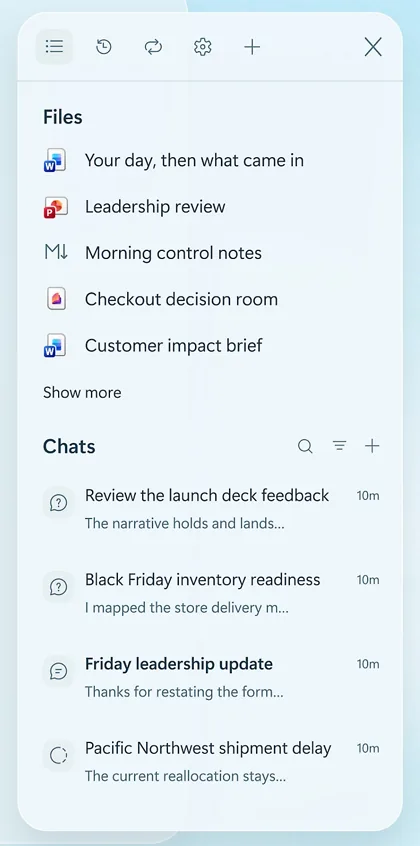
The panel of an Autopilot, with the files it has prepared, such as a leadership review and a customer impact brief, and its recent chats, such as a delayed shipment and the readiness of stock for Black Friday.
The files and chats panel of an Autopilot, from Microsoft’s Autopilot page.

When you set it up, Autopilot reads the last 30 days of the email, meetings, chats and files you can already open. It doesn’t get more access than you have, and Microsoft says its memory doesn’t grant permissions or guarantee accuracy.

It then shows you the people, responsibilities and recurring commitments it has inferred from your recent work. Microsoft’s advice is to treat that profile as a first pass and correct it before you rely on it.

What it learns goes into its memory. Memory can’t be turned off in this release, and your Copilot personalisation settings don’t apply to it. Deleting a conversation doesn’t remove a memory already saved from it, but you can ask Autopilot to correct, forget or export a specific memory.

  • Some of its actions use its own identity, and others use your access on your behalf.
  • Its Activity list isn’t a guaranteed complete audit record.
  • Microsoft doesn’t guarantee that every file it creates inherits your sensitivity labels, or that data loss prevention covers every action.

Chat, Cowork or Autopilot

Autopilot has its own tab in the Copilot app, next to Home, where Chat and Cowork sit. Microsoft gives a rule for choosing between the three.

Chat

Quick answers and drafts in the flow of work.

Cowork

One task with several steps, done from start to finish. You ask, it delivers.

Autopilot

Work that doesn’t end with one task: goals, decisions and commitments that play out over days and weeks.

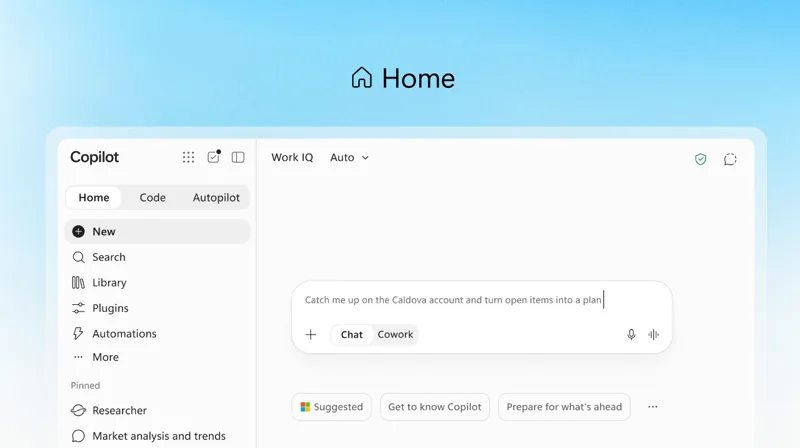
The Home tab of the Microsoft Copilot app, with the Home, Code and Autopilot tabs at the top left and a request typed in the box, where a switch chooses between Chat and Cowork.
The Home tab of the Copilot app, with the Chat and Cowork switch under the request, from Microsoft’s September announcement.

Autopilot in Copilot is a different product from Windows Autopilot, the Microsoft service that sets up new Windows computers for an organisation.

What it means for a business in Australia or the UK

For a business in Brisbane or in Manchester, nothing changes yet. Autopilot is limited to eligible Frontier customers in the United States, and Microsoft adds new Frontier customers over time. The groundwork it needs is the same as for any assistant that acts in your Microsoft 365, and these are the questions we would settle first.

  • Who is your Microsoft 365 admin? They give people access to Autopilot, set the spending policy and turn it on.
  • Who can open what in SharePoint and OneDrive? Autopilot works with the access its person already has. If a folder is open to everyone in the business, each person’s Autopilot can read it too.
  • Which task would you hand over first? Microsoft suggests a first request with clear limits, one that doesn’t send messages or change shared information.
  • What budget would you set? Usage is billed on top of the Copilot licence. When the spending policy reaches its limit, Autopilot stops working for that person.
  • Do you have Intune Plan 1 or Microsoft 365 E3? Microsoft requires one of the two, along with Microsoft 365 audit logs.

What the announcement does not cover

The pages read for this article give no date for Autopilot outside the United States, and no date for general availability. Microsoft hasn’t published a price either. It says final pricing and packaging will be shared before general availability.

Microsoft also says its requirements apply to the Frontier preview, and that more requirements and security recommendations might apply at general availability. It doesn’t guarantee that background work runs without interruption or finishes at a set time.

How we start

We set up Claude for the businesses we work with, or the AI tool a team already uses, such as Microsoft Copilot. That includes who can open what and where a person approves. Our guide on handing a repetitive task to AI with a person’s approval shows how.

Before we turn on an assistant that acts for your team, we check who can open what. Then we choose a first task with clear limits and set the spending limits with your admin.

How we help, who we are and how we handle security. On the same subject: Microsoft’s Frontier programme, which AI agent a business should use, an AI agent or an automation and Microsoft Copilot or Claude.

The first step with us is a free AI pre-audit

45 minutes to explore where AI could help your business and what to put in place first. With or without us.

Book your free AI pre-audit

Sources

Every fact on this page comes from Microsoft’s announcements of 25 September and 17 November 2026, its Autopilot page and seven pages of Microsoft Learn, read on 18 November 2026. Autopilot is in preview, and details may change after publication. The screens and the video are Microsoft’s own material.

  1. Microsoft: Ignite 2026 Book of News, 17 November 2026
  2. Microsoft Copilot Blog: Copilot at Microsoft Ignite, 17 November 2026
  3. Microsoft: Autopilot, product page and questions
  4. Microsoft Learn: Autopilot overview
  5. Microsoft Learn: Autopilot (Frontier) requirements
  6. Microsoft Learn: How Autopilot reviews actions
  7. Microsoft Learn: Autopilot frequently asked questions
  8. Microsoft Learn: Get started with Autopilot
  9. The Official Microsoft Blog: Introducing the new Copilot with Home, Code and Autopilot, 25 September 2026
  10. Microsoft Learn: Get started with Frontier
  11. Microsoft Learn: Overview of Windows Autopilot
  12. Microsoft Copilot on YouTube: The new Copilot, where AI-powered work comes together, 2 October 2026

Bring your questions.

Free AI pre-audit