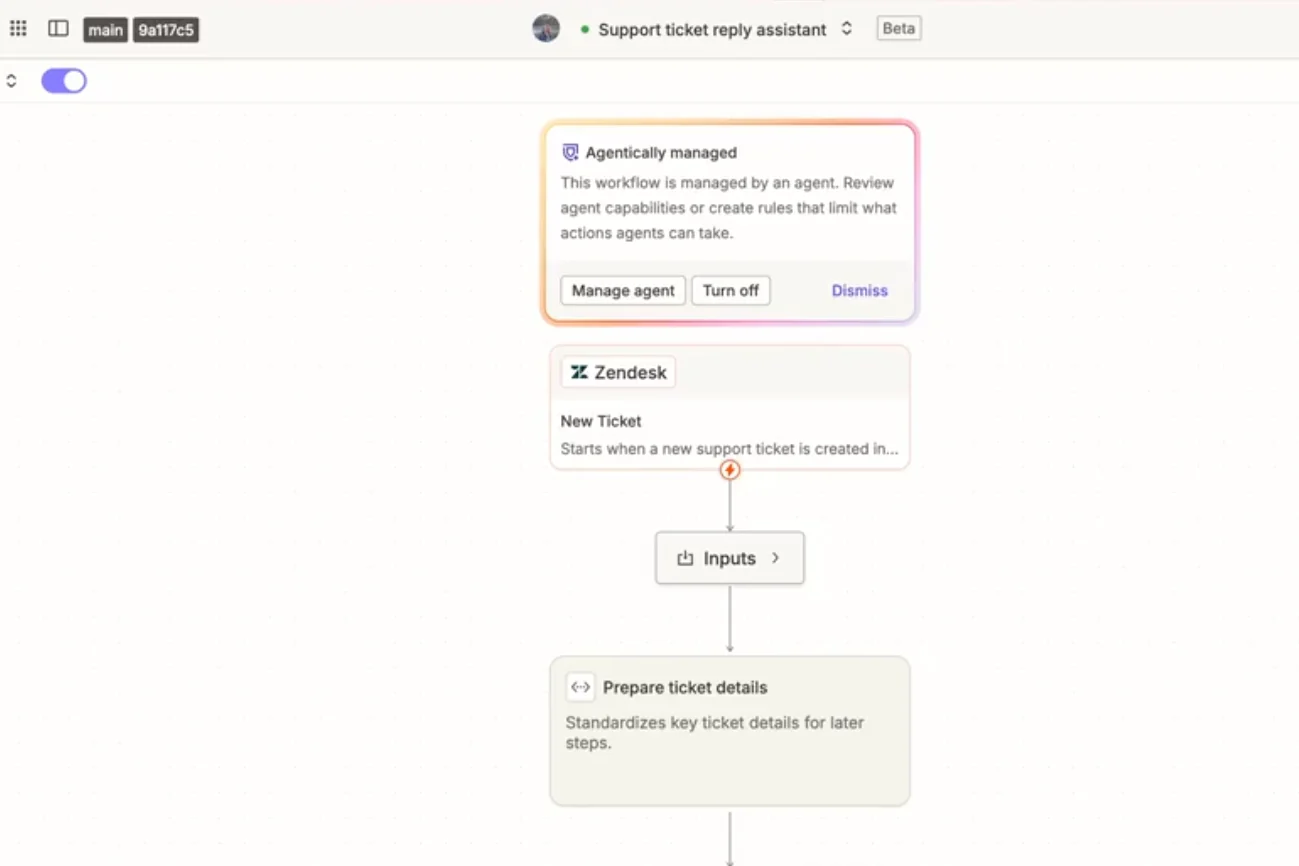
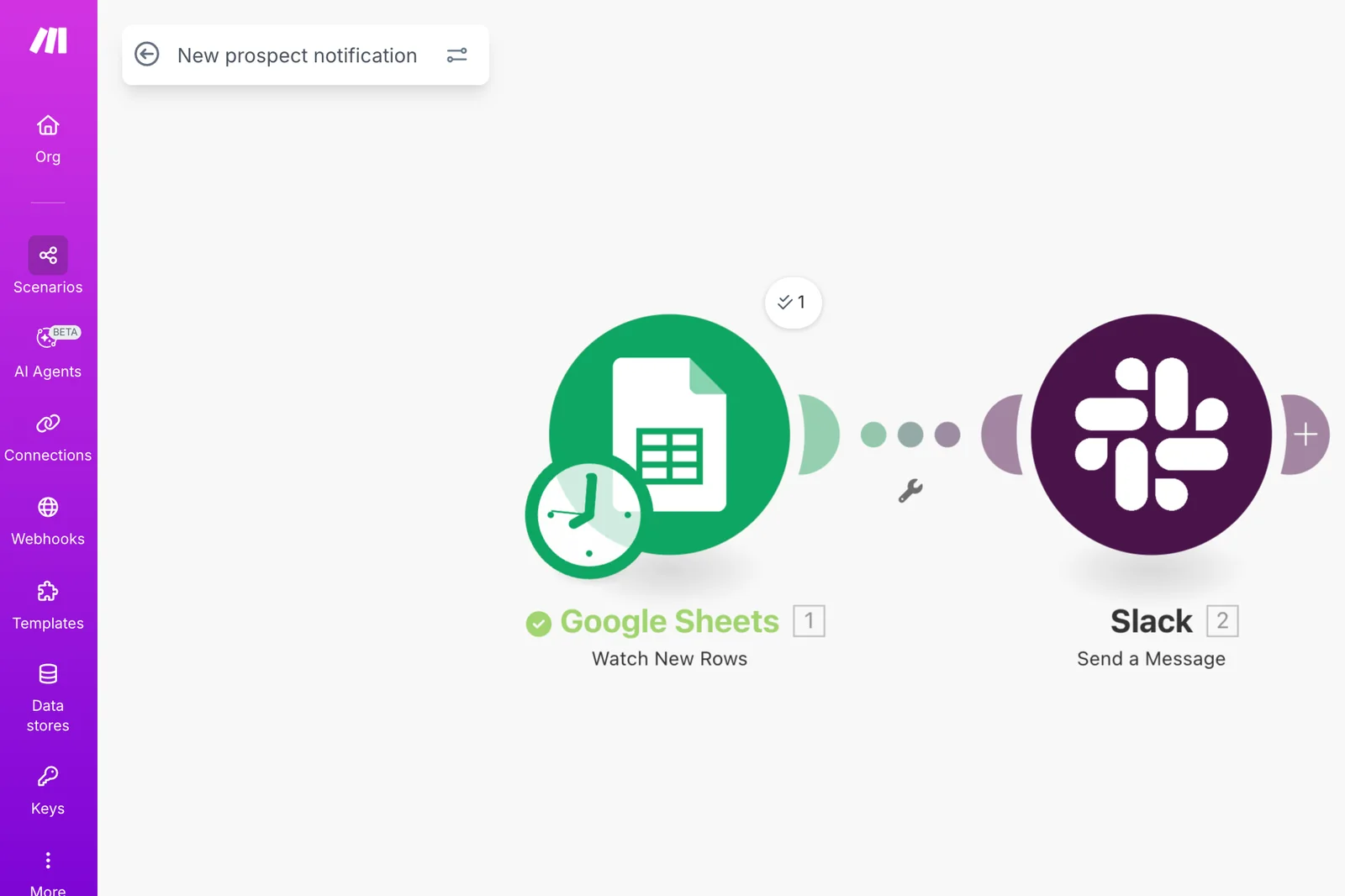
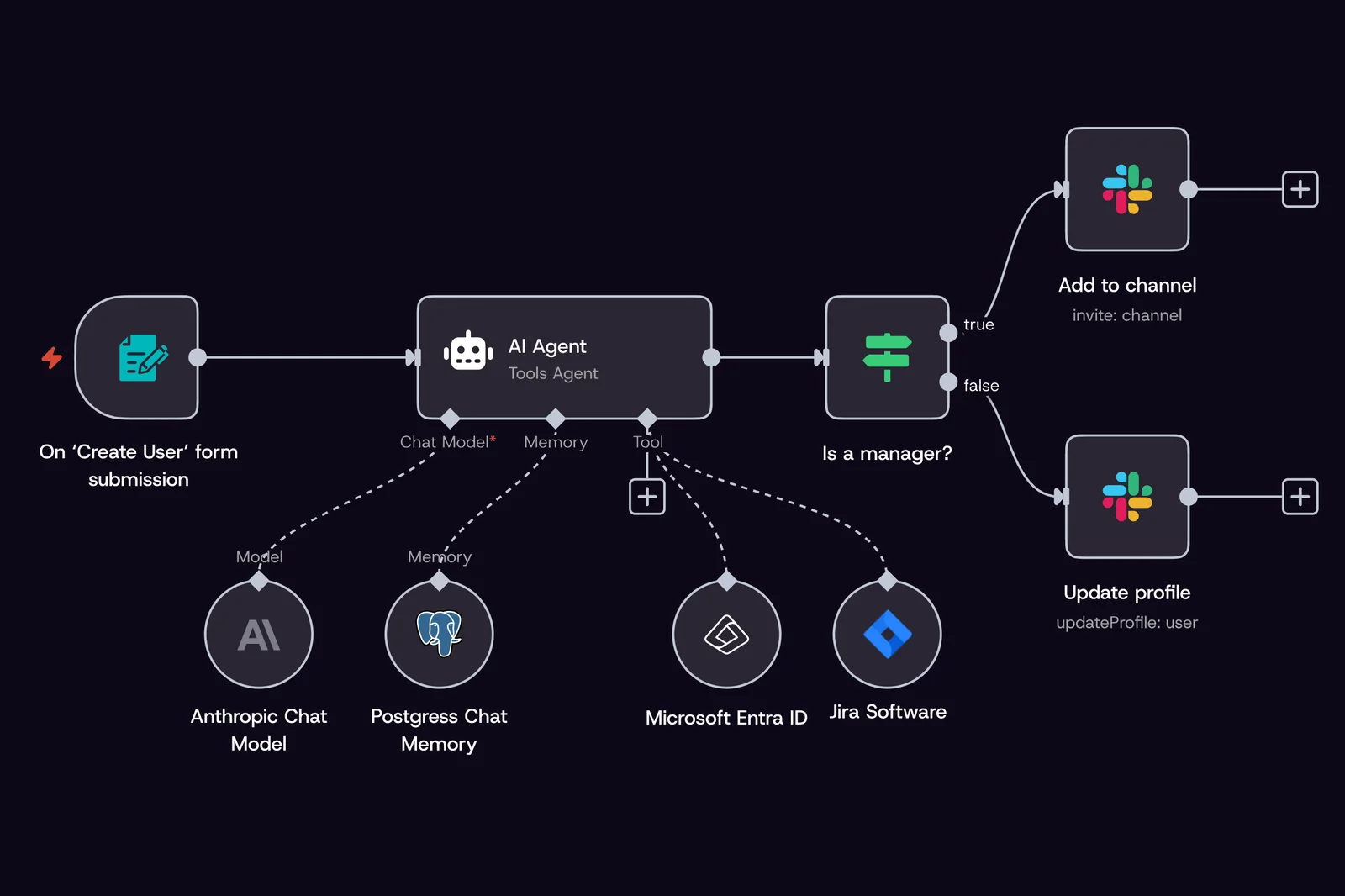
Nodes joined on a canvas. An If node splits the run in two, and a Code node runs your own JavaScript or Python where the built-in nodes stop.[14][13]
Capture from the n8n home page, 4 October 2026.
You have a task in the business that repeats every day, someone has told you it can be automated, and the same three names keep coming back. Most comparisons you find rank Zapier, Make and n8n by the number of apps they connect, their monthly price and the technical skill your team would need. This page sets out what differs between the three according to each vendor’s own pages, read on 4 October 2026, and the questions that decide the choice in an owner-led business, most of which are settled before anyone opens one of these tools.
By The AI Adoption · Published on 4 October 2026 · Facts and captures from the vendors’ own pages
What the three have in common
All three tools do the same basic job. Something happens in one of your applications, such as a form being submitted, an email arriving or a row being added to a spreadsheet, and the tool runs a series of steps in your other applications without anyone clicking through them: it creates the record, files the document, sends the notification. Each of them can also call an AI model inside those steps, to read an email or draft a reply.
What changes from one to the other is how the workflow is built, where the data that passes through it is kept, and who keeps the platform running. Those three differences matter more to a business than the length of the app list, because they decide who on your side can change a workflow when your process changes, and whether your customers’ details leave the country.
The three side by side
Each point below comes from the vendor’s own page. The app counts are the figures each vendor lists on its integrations page; they are counted differently from one vendor to the next, so they show the order of size rather than which tool will connect to your particular applications. That question is answered by searching for your own applications on each list.
How you buildBranchesApps listedWhere it runsWho looks after it
A Zap: a trigger, then actions, built without code[1]
n8n for n8n Cloud; whoever runs the server when self-hosted[7][9]
Bars drawn to the app counts each vendor lists, read on 4 October 2026.
Where your data is kept
Every record that a workflow moves passes through the tool, and the tool keeps a history of each run so that you can see what happened when something fails. If the workflow handles customer emails, invoices or staff details, those details are held wherever the tool runs.
Zapier states that it hosts data on AWS servers in the United States and that it does not offer storage limited to the European Union. Make lets you choose a data centre in the United States or the European Union when the organisation is created, and states that the location cannot be changed afterwards. n8n hosts its Cloud service in a Microsoft Azure data centre in Frankfurt. None of the three pages we read states a hosted location in the United Kingdom, Australia or New Zealand. The one way among the three to choose the country yourself is to self-host n8n, and then your business runs the server: n8n’s security page states that, apart from passwords, encrypting the stored data is the responsibility of whoever hosts it.
United StatesYour business in the UKCloud, FrankfurtEuropean UnionYour business in Australia or New Zealand
Where a hosted service keeps the data
Where your business is
Self-hosted: wherever you put the server
United States
European Union
Cloud, Frankfurt
What that means depends on where your business is. In the United Kingdom, Zapier states that it is certified under the UK Extension to the EU-US Data Privacy Framework, which the ICO covers in its guidance on international transfers, while Make’s EU data centre and n8n Cloud keep the data inside the European Union. In Australia, APP 8 sets out the steps a business takes to protect personal information before it is disclosed overseas, and all three hosted services are overseas. In both countries, the applications the workflow connects and the AI model it calls each keep their own copy of the data as well.[3][15][16]
An automation can fail for reasons that no choice of tool would fix. If the process was never written down, the workflow reproduces the version one person remembers. If nobody agreed which steps a person should still approve, the workflow either sends things it should not or stops so often that the team goes back to doing the work by hand. And if nobody owns it, the first time an application renames a field the workflow stops running, no one is told, and the work piles up until a customer asks where it went.
Settling those points first also tells you which tool you need. A workflow that only moves a form into a spreadsheet works in any of the three. A workflow that reads customer emails, checks them against your price list and prepares a reply for someone to approve needs branches, an AI step and a clear place where a person approves, and needs to run somewhere you are comfortable keeping those emails.
Workflow specIllustration, fictional business in the UK
Customer enquiries: a reply drafted, approved, then logged
Written with
The person who answers enquiries today
Starts when
A new email arrives in the shared sales inbox
Steps
Find the customer’s order history
Draft a reply from the current price list
A person approves the draft
Send the reply and log it
A person approves before
Any reply leaves the business
Data in the workflow
Customer emails, the price list, order history
May be kept in
The UK or the European Union
Owner
Operations manager, alerted when a run fails
Tools that meet this spec
Data kept in the United States
EU data centre, chosen at sign-up
Cloud in Frankfurt, or your own server in the UK
The process, written with the person who does it
The step where a person approves
Where the data may go, and who owns the workflow
The level of automation is part of that decision. A workflow can prepare the work for a person to finish, it can carry out most of the steps and hand the uncertain cases to a person, or it can run on its own within limits written down in advance. Anything that leaves the business or cannot be undone, such as a message to a customer or a payment to a supplier, keeps a person in front of it. We show how that works on a real task in using AI to answer customer emails.
Which tool fits which situation
With those answers in hand, the choice is usually short. Each case below follows from the facts above, and none of them is a ranking: the same business can fit two of them, and the tools you already pay for count as well.
Your workflows follow a set order of steps, your team wants a hosted tool it can change without technical help, and your applications are on Zapier’s list. Branches are handled with Paths, and the data is kept in the United States.
Your workflows split into several routes that you want to see laid out on a canvas, or the data must stay in the European Union: Make’s EU data centre is chosen when the account is created, and stays fixed.
You need the data on infrastructure you control, in a country you choose, such as the UK or Australia, and someone technical can install, secure and update the server: self-hosted n8n allows it. n8n Cloud runs the same builder in Frankfurt.
If your business already runs one of these tools, or your accounting or customer system offers its own automations, the first question is whether that covers the task before another subscription is added. Whatever is chosen, the account should be in your company’s name and the workflows documented, so that you can see what runs, who can change it and how, whoever built it. We cover what should belong to you at the end of the work in what an AI adoption consultant does.
How we start
The first step with us is a free AI pre-audit: 45 minutes on a call where we look at the task you want to automate, the applications it touches and how your team uses AI today. Bring the process as it runs now, even if it only lives in someone’s head. You leave knowing which work is worth handing over first and what it needs before a tool is chosen, with or without us.
If you go further, we capture the process with the people who do it, write it down step by step, agree the level of automation and build the workflow on the tool that fits, tested against the way the job is actually done. How we help, who we are, and our note on Anthropic’s Claude Frontier Academy from the same week.
Sources
Every point and capture on this page comes from the vendor’s or the regulator’s own page, read on 4 October 2026. Vendors change their pages, app lists and hosting options; check the current page before you decide.
 The AI AdoptionFree AI pre-audit