The AI AdoptionFree AI pre-audit

Anthropic launches
Claude Sheets and Whiteboards.

Screens from Anthropic’s launch demo.

On 10 November 2026 Anthropic added two new tools to Claude, both in beta. Claude Sheets is a spreadsheet Claude builds and edits with you, and Claude Whiteboards is a shared board where your team thinks a plan through with Claude. The same day, Claude Dashboards came out of beta under a new name, Claude Data. On Team plans all three are already switched on.

By The AI Adoption · Published on 11 November 2026 · Sources: Anthropic, 10 November 2026, and the Claude help centre

Anthropic10 November 2026

What was announced

Anthropic announced three things on 10 November 2026. Claude Sheets and Claude Whiteboards are in beta. Claude Dashboards, launched in beta in October, is now generally available as Claude Data, with two new features in beta: certified queries and live sharing. All three are on the paid plans, which the help centre lists as Pro, Max, Ultra, Team and Enterprise.

According to Anthropic, work done with Claude often ended up copied into another tool, where Claude could no longer follow the changes. Now the sheet, the board and the dashboard stay in Claude, where your team edits them with Claude, and each one can be sent to a partner’s tool when it is ready. The same day, Anthropic also let some of those partner tools open inside Claude itself.
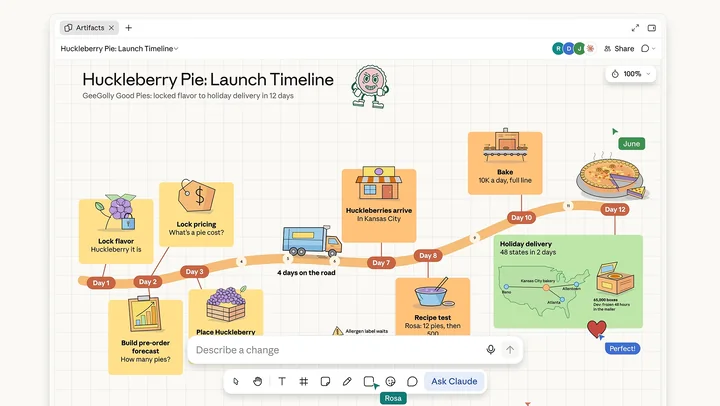
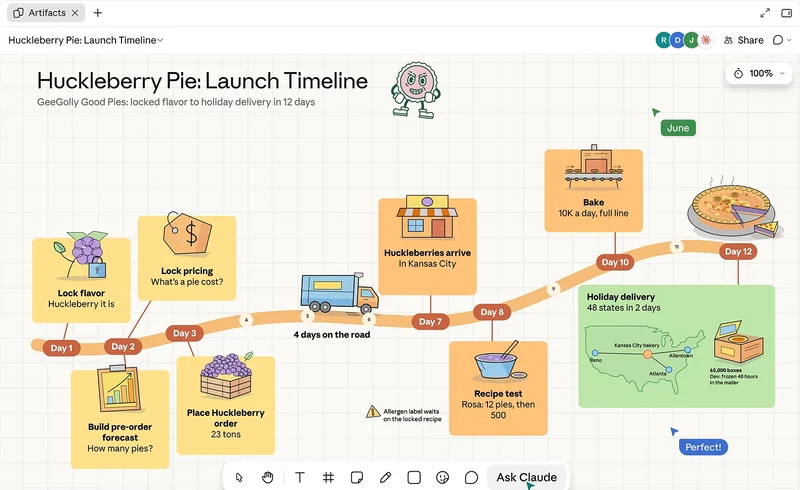
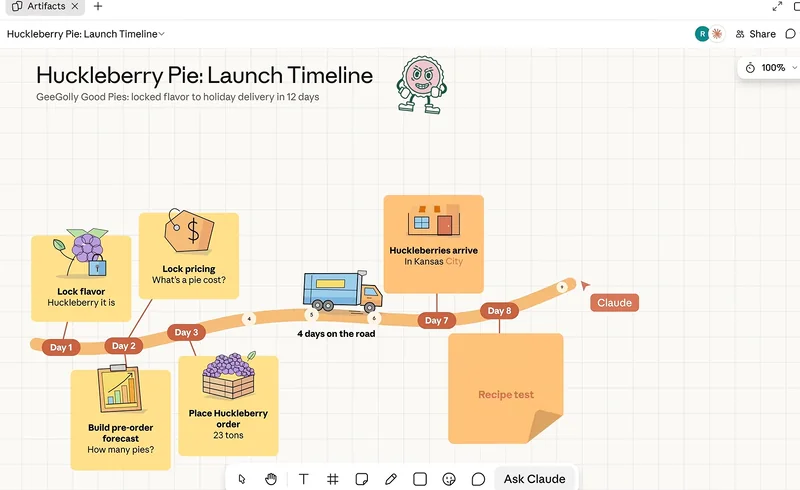
A launch plan drawn as a timeline on a Claude whiteboard, the opening of Anthropic’s launch video. Watch Anthropic’s demoUnder a minute, on YouTube
Anthropic’s launch video for the three tools.

Claude SheetsBeta

Claude Sheets is a light sheet you build and share

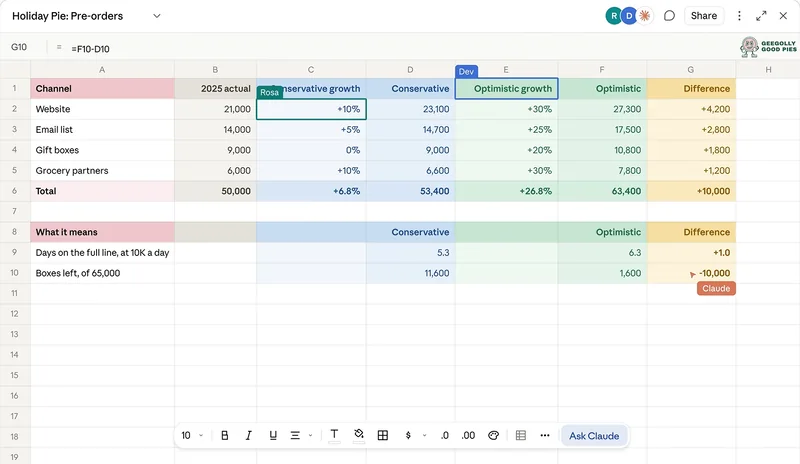
You ask for a sheet in a chat, such as a campaign tracker or a hiring budget, and Claude builds it with tabs, formulas, formatting and dropdowns. The formulas stay in the cells, so you can check how each figure was reached.

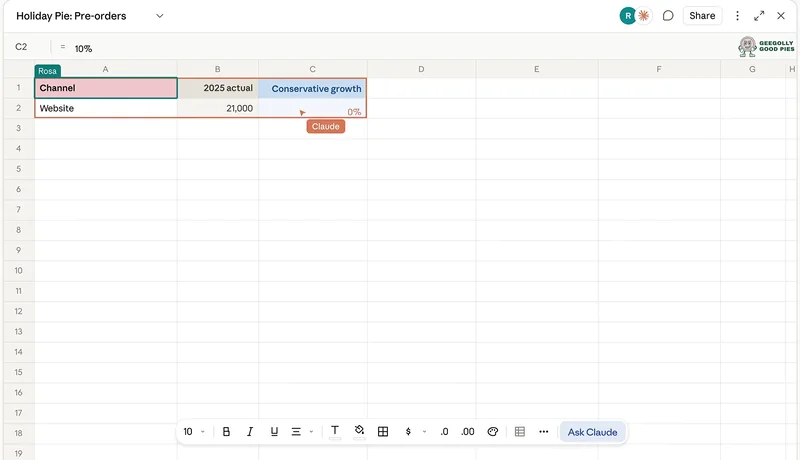
When Claude changes the sheet, each edit is outlined as it lands, and when colleagues are in the sheet you all work in the same cells at the same time. You can also type and write formulas yourself, with 144 functions, and leave comments on cells for your team.

Claude Sheets in Anthropic’s launch video.
100,000cells in one sheet at launch
144functions for the formulas you write yourself
Read-onlywhen you open a sheet on a phone

Sharing and moving data

  • A sheet starts private to you. You share it from the Share button.
  • Version history brings back an earlier version. That also removes the edits made after it.
  • Data comes in from a CSV file, from Google Sheets or from Excel.
  • It goes out as an .xlsx or CSV file.
  • Send to pushes it to a partner’s tool. Anthropic names Airtable, Asana, monday.com and Smartsheet.

Not in Sheets at launch

Anthropic says Sheets covers common spreadsheet work for now.

  • Pivot tables, protected ranges, find and replace and filter views
  • PDF export
  • Macros, VBA, Power Query and DAX
  • Live data from your connected apps
  • Use as a source for a doc, a deck or a dashboard
  • Zero data retention and similar data controls

Anthropic says Claude Sheets is for a light, shared sheet you build with Claude. When the file already lives in Excel or Google Sheets, or you need everything those apps can do, the help centre points to Claude for Excel or Claude for Google Workspace, or to exporting the sheet.

Goes in Claude Sheets

  • The weekly job tracker
  • The event checklist

Stays in Excel or Google Sheets
  • The books
  • The price list
  • The files your accountant opens

Claude WhiteboardsBeta

Claude Whiteboards helps your team talk a plan through

A whiteboard is a board your team and Claude work on together. You talk a messy plan through out loud, type it or sketch it. Claude turns it into groups, flows and timelines. Anyone on the board can move things around, and you can follow a colleague to see what they are looking at.

Anthropic’s own example is a team retrospective. Everyone adds their notes, and Claude groups them by theme and drafts the action items for each person. You can drag a box around one part of the board and ask Claude about that part only, or ask what is missing between two steps, and Claude adds its suggestions for you to check.

A Claude whiteboard in Anthropic’s launch video.

When the thinking is done

  • Claude turns the board into a doc
  • Claude turns it into a deck
  • You send it to Lucid, Miro or Vani by Zoho
  • You export it as a PNG image

Two limits matter at launch. Claude works only from what is on the board, without the context of your connected apps. And a board cannot be imported from a file.

People outside your organisation can join a board when you invite them by email. On Team and Enterprise that depends on an organisation setting, on by default on Team and off on Enterprise.

Claude DataGenerally available

Claude Dashboards is now Claude Data

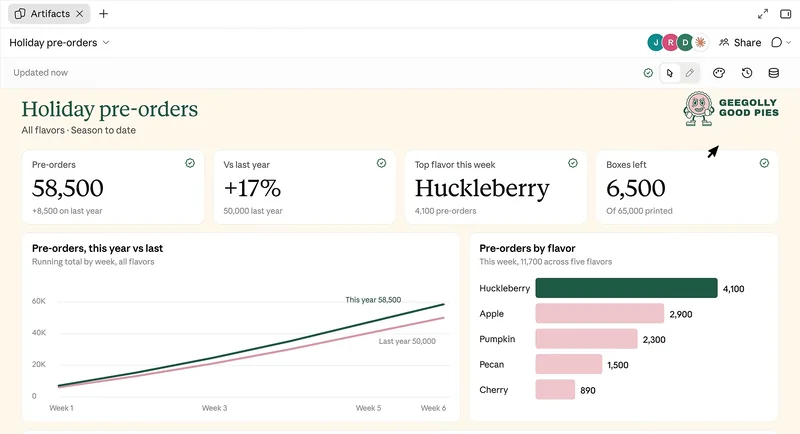
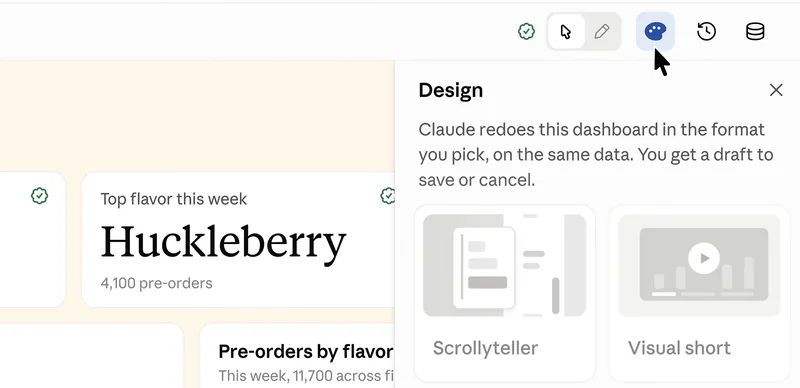
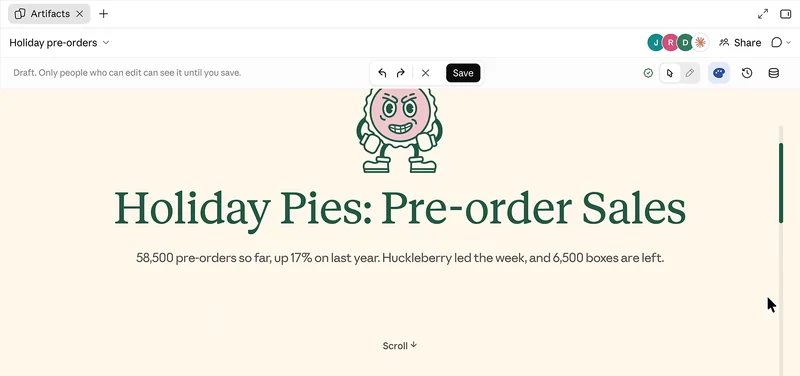
Claude Data is the product we wrote about in October as Claude Dashboards. Anthropic changed the name because companies use their data for more than dashboards. The same product now also makes scrolling stories, short narrated videos and written summaries from your figures.

Dashboards you already made keep working. Claude Data still needs a data connector, such as a data warehouse or a CRM, and Claude still writes a query for each chart, shown with the time its data was last refreshed.

Claude Data in Anthropic’s launch video.

Certified queries

Beta

The official queries your data team has approved, so that two people do not build two dashboards with different figures for the same thing.

  • Charts built on them carry a certified badge.
  • The definitions can come from dbt, Looker or Cube.
  • Editing a certified query removes its certification.

Live sharing

Beta

A way to share a dashboard with people who cannot open its sources.

  • Shared the usual way, a dashboard loads its data with each person’s own connections. Someone without access to a source sees an error in place of that part.
  • With live sharing, people in your organisation see results from your connection.
  • It is limited to the exact queries the dashboard needs, which cannot change without an editor’s approval.

With live sharing, everyone you share the dashboard with sees those results, even without access to the source.

From the Claude help centre

A dashboard of margins by job built on the owner’s access to the accounts would show those margins to everyone it is shared with. Anthropic’s advice is to check what a dashboard shows before you share it this way.

Also new in Claude Data

  • Each dashboard keeps a copy of its data, and you choose how often it refreshes. The refresh happens when someone opens the dashboard and the data is due, not on a timetable.
  • A version history shows who changed what, and you can roll back to an earlier version.
  • Claude Data can follow your design system.
  • Anthropic’s partners for Claude Data are Amplitude, Mixpanel, Omni, PostHog and Sigma.

Apps inside ClaudeRolling out

Your other tools now open inside Claude

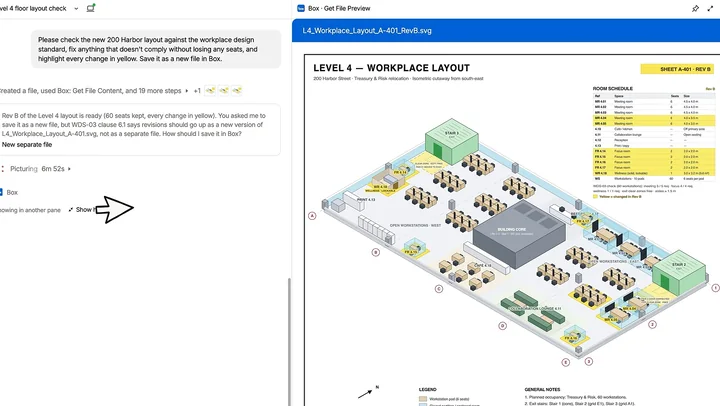
The same day, Anthropic announced that where a connector supports it, the tool itself can open beside your conversation or in full screen, and Claude can make changes in it with you.

You approve those changes the same way you approve any action of a connector.

A Claude conversation about a floor plan stored in Box, with the Box preview of the file open beside it. Watch Claude work inside other toolsOne minute, on YouTube
Anthropic’s video for its second announcement of the day.
  • Anthropic starts with a small group from its directory, including Asana, Canva, Dropbox, monday.com and Smartsheet.
  • Its examples use Adobe, Atlassian, Box, HubSpot and Notion.
  • It is rolling out on the web and in the desktop app on all plans, as part of the new Claude experience that brings chat and Cowork together.
  • Admins restrict a connector’s tools the same way as before.
Logos of the tools Anthropic shows with its announcement, among them Adobe, Asana, Atlassian, Box, Canva, Dropbox, HubSpot, monday.com, Notion and Smartsheet.
Tools shown by Anthropic with its announcement.

Who has it and what is on by default

On Team plans, an owner has nothing to do: Sheets, Whiteboards and Claude Data are on by default, with certified queries and live sharing. On Enterprise plans, Sheets and Whiteboards stay off until an owner turns them on. Claude Data turns on by default on 19 November 2026, unless an owner has already saved a setting. Its two beta features stay off.

Team plan

An owner has nothing to do

Claude SheetsBetaOn by default
Claude WhiteboardsBetaOn by default
Claude DataOn by default, with certified queries and live sharing
Apps inside ClaudeRolling outOn the web and in the desktop app

Enterprise plan

An owner turns Sheets and Whiteboards on

Claude SheetsBetaOff until an owner turns it on
Claude WhiteboardsBetaOff until an owner turns it on
Claude DataOn by default from 19 November 2026, unless an owner has already saved a setting. Certified queries and live sharing stay off.
Apps inside ClaudeRolling outOn the web and in the desktop app. Admins restrict a connector’s tools as before.

Pro, Max and Ultra have Sheets, Whiteboards and Claude Data too. On Team and Enterprise, owners change all of this in the organisation settings, under Artifacts. With custom roles they can also give Sheets and Claude Data to part of the organisation only.

Each of the three counts towards the plan’s usage limits, like the rest of your work in Claude. And everything starts private: nothing is shared until someone shares it, and on Team and Enterprise what is shared stays inside the organisation by default.

What the announcement does not cover

The pages read for this article give no date for Sheets and Whiteboards to leave beta, and they do not say whether a sheet sent to Airtable, Asana, monday.com or Smartsheet keeps its formulas and dropdowns. Anthropic says it is adding more spreadsheet features over time, without a list or a date.

Nor do they name a country or say where sheets, boards and dashboards are stored. If your business has rules about where its data may go, the answer is in the terms of your plan. Our guide on what you can safely share with AI lists the questions to ask.

How we start

We set up Claude for the businesses we work with, or the AI tool a team already uses. That includes who can open what and where a person approves. Our guide on adopting AI securely shows how.

Some sheets become the place the business runs on, like the job board every crew reads each morning. We build those as a proper tool, fed from the systems where the data lives.

How we help, who we are, how we handle security, and what an AI adoption consultant does. On the same subject: our October news page on Claude Dashboards, now Claude Data, and Microsoft Copilot or Claude for a business.

The first step with us is a free AI pre-audit

45 minutes to explore where AI could help your business and what to put in place first. With or without us.

Book your free AI pre-audit

Sources

Every fact on this page comes from Anthropic’s two announcements of 10 November 2026 and four pages of the Claude help centre, read on 11 November 2026. The features are new, most of them in beta, and details may change after publication. The screens and the two videos are Anthropic’s own demo material.

  1. Anthropic: Introducing Claude Whiteboards, Claude Sheets, and Claude Data, 10 November 2026
  2. Claude help centre: Get started with Claude Sheets
  3. Claude help centre: Get started with Claude Whiteboards
  4. Claude help centre: Get started with Claude Data
  5. Claude help centre: Share artifacts
  6. Anthropic: Your apps can now open in Claude, and Claude can work in them, 10 November 2026

Bring your questions.

Free AI pre-audit